LINUXOPOLIS
Building a Linux habitatPublished with SteemPeak
home ~ previous
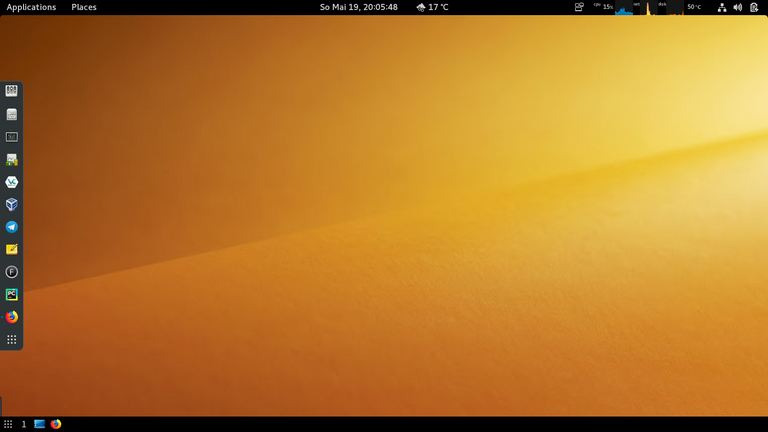 Screenshot by Willi Glenz
vim ................................................................................ update 09-24
fish ............................................................................... update 09-23
pycharm ............................................................................ update 09-15
tmux python systemrescuecd snippets screen neofetch ranger hardening sources debian html ... 2019
taskwarrior snap java glances check tutorials bash arch network apache dns firefox disk .... 2019
onliner ramdisk ufw host packages snap users swap ide raspi logging inxi docker ............ 2019
| debian bash ~ fish tmux ranger vim ~ python pycharm | |
| A | apache arch alias anaconda-navigator apt atop alias a='vim ~/.bash_aliases && source ~/.bashrc' alias as='clear; echo; sudo arp-scan --localnet; echo' |
| B | bash bg alias b='backintime-qt4 1> /dev/null &' alias ba='clear; curl rate.sx/bat@30d' alias bc='clear; curl rate.sx/btc@30d' |
| C | check cal cat cd chkrootkit chmod chown cp curl alias c='clear; ncal -3' alias cl='clear; neofetch; cowsay -W 131 -f moose $(cat ~/bin/oneliner.txt shuf -n1); echo' alias cn='check network :pipe: vim -' |
| D | debian disk dns docker date dd dmesg alias df='clear; echo; df -hT --exclude=squashfs; echo; df -i --exclude=squashfs' |
| E | echo etcher exit alias exip='clear; echo; inxi --ip' |
| F | firefox fish fdisk fg file find fzf alias ff='~/Apps/firefox 2> /dev/null &' alias fw='clear; sudo ufw status verbose' |
| G | glances gnome-disks gnome-terminal grep groups alias g='glances' alias ge='\cd /etc; ranger' alias gh='cd ; clear; echo; lsd -l; echo' |
| H | hardening host html head hostname htop alias h='clear; echo; history 30; echo' |
| I | ide inxi ip alias i='clear; echo; inxi -v7' |
| J | java jobs journalctl alias j='clear; echo; jobs -l' |
| L | logging last less ln logcheck login ls lsblk lshw alias l='clear; echo; lsd -l; echo' |
| M | mkdir mount mv alias m='mpg123 -zvC ~/Music/*' |
| N | neofetch network ncal ncdu nmap ntopng alias n='sntop' nd='clear; sudo ncdu -x /' |
| O | oneliner |
| P | packages pycharm python pwgen ping popd ps pushd pwd alias p='clear; echo; python3' alias pc='clear; pycharm 2>/dev/null &' |
| R | ramdisk ranger raspi r rev rkhunter rm rmdir rsync alias rs='rsync -avzP --delete --stats --exclude-from "/path/to/.exclude.txt" /path/to/source/ /path/to/sink/' |
| S | screen snap sources swap snippets systemrescuecd shellcheck sntop sort speedtest stat sudo alias s='systemctl status' alias st='clear; curl rate.sx/steem@30d' alias snt='sntop' |
| T | taskwarrior tmux tutorials tail tar tasksel terminator tmux top touch alias t='clear; task; timew week; timew summary' alias th='/usr/local/bin/thonny 2>&1 /dev/null &' |
| U | ufw users unattended-updates umount unalias uniq alias u='clear; sudo apt update && sudo apt list --upgradable :pipe: ls -N' alias uu='apt update && apt upgrade && apt dist-upgrade; apt autoremove -yy' |
| V | vim veracrypt vnstat alias v='veracrypt /dev/sdb &' alias vs='clear; echo; vnstat -i enp1s0f2; echo' |
| W | wall wc which wireshark alias w='clear; curl wttr.in' |
| Y | alias y='sudo -H pip3 install --upgrade youtube-dl' |
| Z | zsh |
node #0     : 5.2.0-2-amd64 x86_64 ......... Debian GNU/Linux bullseye/sid ......... Gnome 3.30.2
node #1     : 4.19.58-v7+ armv7l ........... Raspbian GNU/Linux 10 (buster) ....... Console tty 0

host        $ alias glances history rsync update upgrade .................... a g h rs u uu alias
services    : apache2 ssh logrotate ..................................................... s alias
apps        $ firefox brave pycharm thonny .................................... ff br pc th alias
disk        # ncdu -x /; ................... ls df du ............................... df nd alias
users       $ last | vim -; groups ..............................................................
network     $ arp-scan check inxi ufw sntop ............................. as cn exip fw snt alias
traffic     $ vnstat -i enp1s0f2; .......................................... check traffic script
speed       $ speedtest ...................................................... check speed script
check I     $ weather bat bitcoin steem ........................................ w ba bc st alias
check II    : host network ~ hardware kernel cpu disc traffic speed ~ help ............... script

system      # systemctl status|restart|start|stop|enable|disable
uefi        # ls /sys/firmware/efi
uefi        # efibootmgr
memory      # watch free -h
memory      # memtester 7G
size        # find / -size +4G 2> /dev/null | vim -
files       # find ~/Documents -type f -name "*.py" -print | tee ~/python_files.txt
edit I      $ vim $(fzf --height 40%)
edit II     $ vim $(fzf -e --preview 'head -100 {}')

jupyterlab  homepage        : jupiter.org
            installation    # pip3 install jupyterlab
            server          $ jupyter lab
            documentation   : jupyterlab.readthedocs.io/en/latest/

anaconda    homepage        : anaconda.com
            download        : anaconda.com/distribution/#download-section
            documentation   : docs.anaconda.com
This post had received 5.00% upvote from @steemitportugal account!
Our website has lots of news and tutorials you can visit right now at www.steemitportugal.com
Click here to vote

Delegation for daily voting: 10SP-25SP-50SP-100SP-250SP-500SP-1000SP