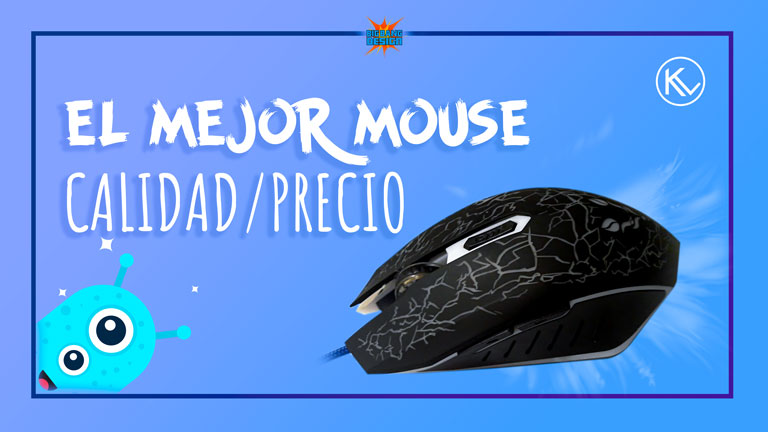
Hey! GEMS I hope you are all very well, In this post you will know which mouse I decided to buy when the I had before has damaged, that you can see in my previous Post.
Elegí comprarme un mouse con las tres B. Bueno, Bonito y Barato este es el Mouse Optico Tinji TJ-11
I chose to buy a mouse with the three B ¨¨In spanish¨¨. Good, pretty and cheap. This is the optical mouse Tinji TJ-11.

Tiene un precio de 5$, Posee un scroll o ruedita y 6 clics (Izquierdo, Derecho, el que está en el scroll, dos laterales, y un clic un poco más arriba de la ruedita para ajustar los DPI)
It´s priced is 5$ , It has a scroll or wheel and 6 clicks (Left, Rigth, on the scroll, two side and a click slightly above the wheel to adjust the DPI)

Sus DPI son Ajustables con el botón físico de la siguiente manera 800/1600/2400/3200. Al conectarlo y al encender la PC estará configurado nativamente a 1600 DPI. El cable es de 1.8 metros y esta recubierto de tela.
Its DPI is Adjustable with the physical button as follows form 800/1600/2400/3200. At connecting and turning on the PC will be natively set to 1600 DPI. The cable is of 1.8 meters and is covered with cloth.

En el poco tiempo que llevo usándolo, tanto los clics principales como laterales, son suaves y cómodos, el clic del Scroll es algo duro en comparación con el anterior mouse.
In the short time that I have been using it, both main and side clicks are soft and comfortable, The scroll click is somewhat tough compared to the previous mouse.

Posee luz led y al estar encendido cambia de color de manera suave, posee los tres colores principales rojo, amarillo, azul y una variedad de combinaciones entre ellos como: verde, morado, blanco y anaranjado. Los que logre captar de manera mas clara con mi cámara son:
Have a led lights and when is on it changes color smoothly, has the three main colors red, yellow an blue and a variety of combinations between them like: Green, Purple, White and Orange. Those that I managed to capture more clearly with my camera are:

El mouse responde bastante rápido en el uso regular del PC como: navegación y realizar trabajos de ofimática y tanto en partidas largas de juegos como para trabajar con Photoshop, illustrator, Premier y After effects es excelente.
The mouse responds quite fast in regular PC use like: navigation and perform office automation work and both in long play of games and to work with Photoshop, illustrator, Premier and After effects is excellent.

Yo configure con la APP X-mouse Button control, los botones laterales, uno para hacer doble clic y el otro para el preciado comando CTRL + Z. Llevo solo una semana usándolo y por los momentos funciona muy bien, Veremos dentro de un tiempo su periodo de vida.
I configure with the APP X-mouse Button control, the side buttons, one for the double click and the other for the command CTRL + Z. I have only been using it for a week and at the moment it works very well, we will see his time life in a some years.

Déjame en los comentarios cual es el mouse que estas usando en estos momentos.
Leave me in the comments which is the mouse you are using in these moments.
Recomendación: Programa el clic de tu scroll para hacer doble clic y revisa si tu mouse queda encendido en su parte inferior al apagar tu equipo, si es asi, puedes configurar mediante la BIOS que todos tus puertos USB se apaguen al apagar el equipo, o simplemente desconectar el mouse. esto alargara un poco la vida de tu mouse.
Recommendation: Program the click of your scroll to made double click and check if your mouse remains on at the bottom when turning off your PC, if so, you can configure via BIOS that all your USB ports turn off when you turn off your computer, or just unplug the mouse, This will lengthen the life of your mouse a bit.
Camara/Camera:
Microsoft LifeCam Studio
Herramienta de edición/Edition tool:
Photoshop CC 2019