 Designed on Canva
I learnt something new yesterday and am excited to share with you guys. It's Hive Learners Creative Sunday and I thought to share my creative work with you.
It might not be new to some of you because you are experts and know about it, but for someone like me who's just getting to do this on my own, I feel it's a big achievement for me this year. If I am called to share my achievements this year, this wouldn't be excluded among many others.
A few days ago, @nkemakonam89 shared a link to a free tutorial on video editing with me. I joined and was determined to take the lesson seriously. It's for 2 weeks and just started two days ago. On the first day, we were taught 'Video Editing' and the softwares used for it.
The first two introduced were the Legend Maker App and Inshot. With a few practical examples, I decided to give it a try and that's the result in the video above.
What I did was to turn words into motion with the Legend Maker App and Inshot.
The Steps and Process
The first step was downloading the Legend Maker App (I have Inshot already).
 |  |
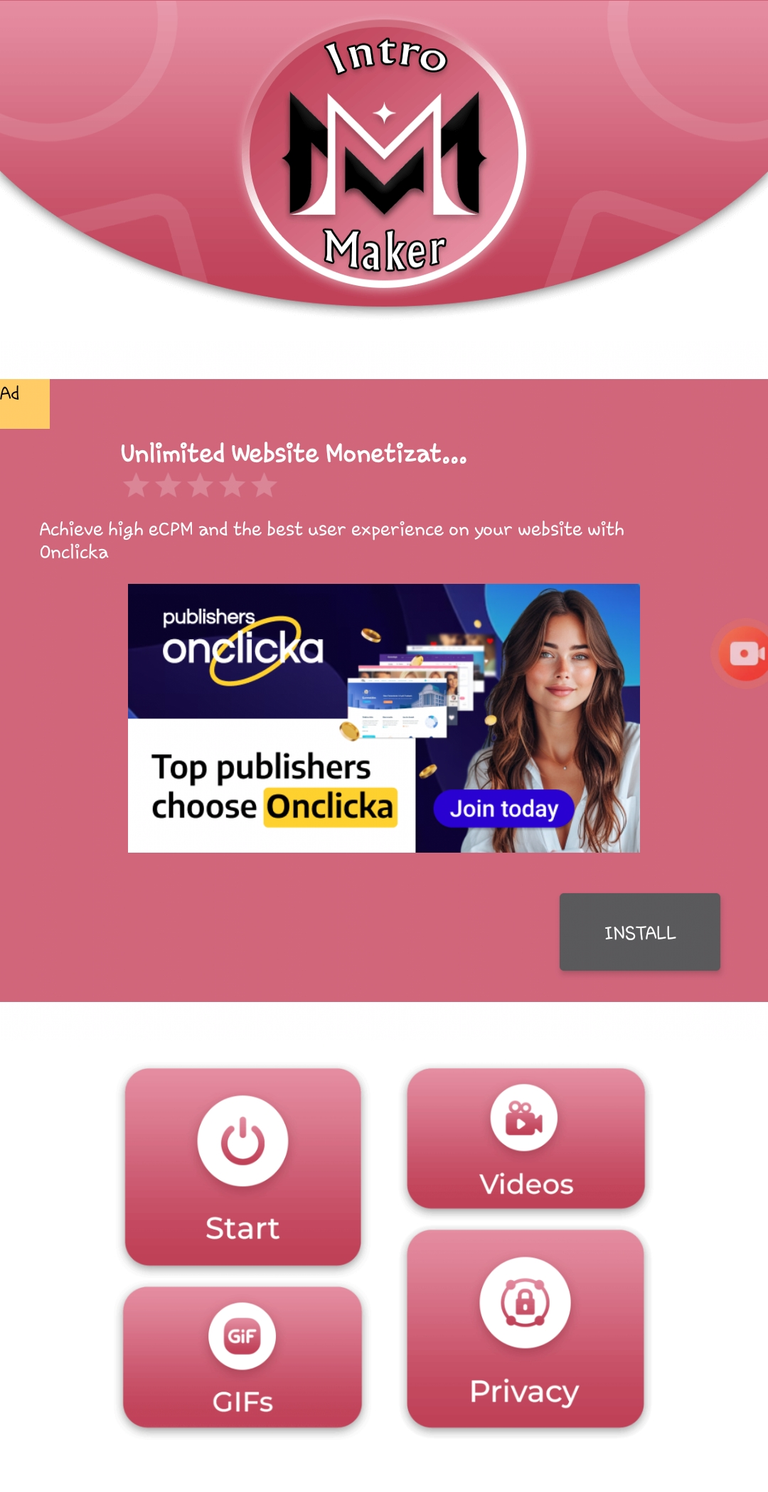
After installing the app, I opened it and it brought me here. Here we have 4 options: Start. Videos. Gifs. Privacy.
The "start" button is when you want to create new words from motions. The "GIFs" are where your created GIFs are stored. The "Videos" are where your created videos are stored. The "Privacy" is where the privacy policy is written.
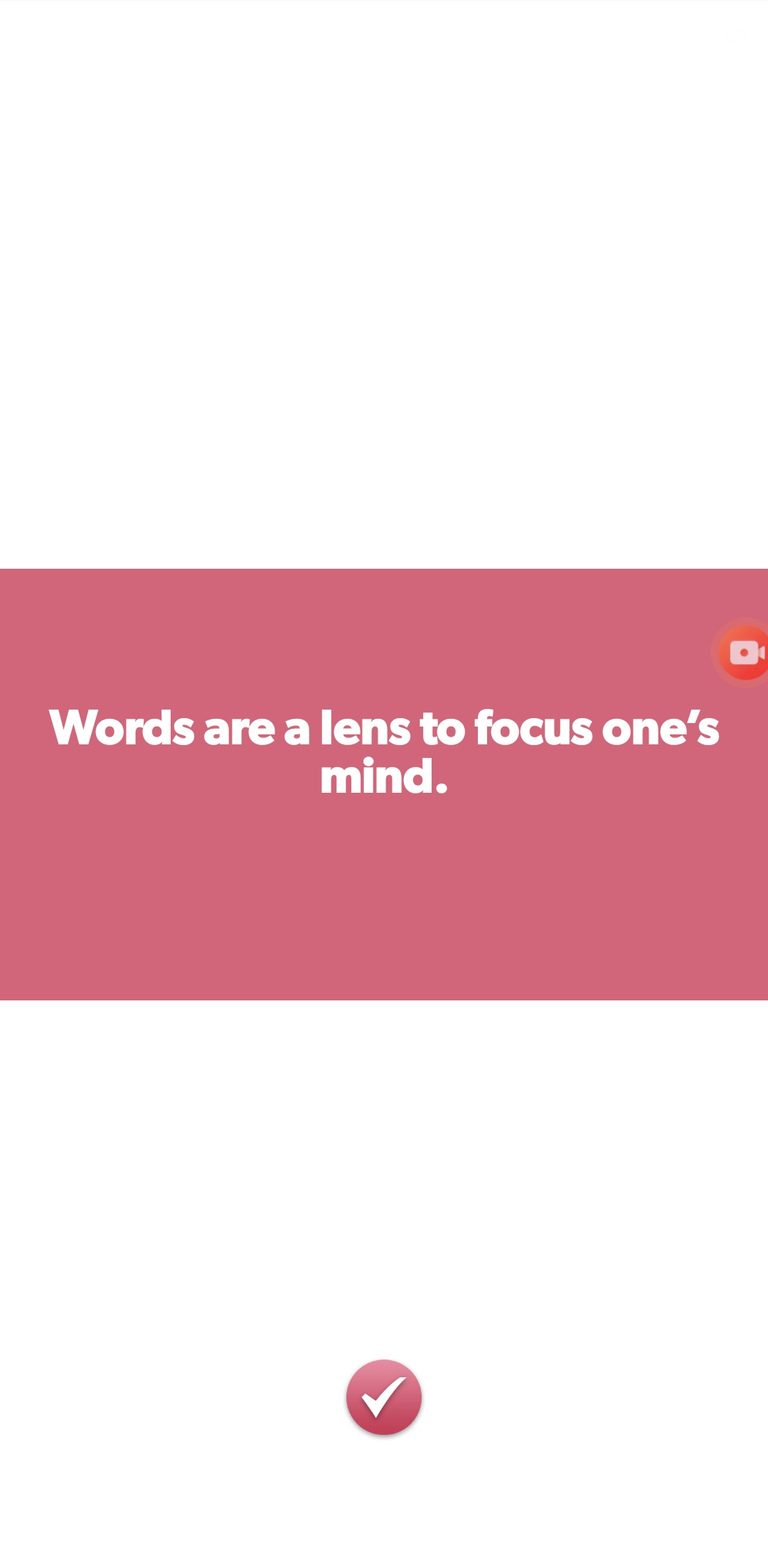 | 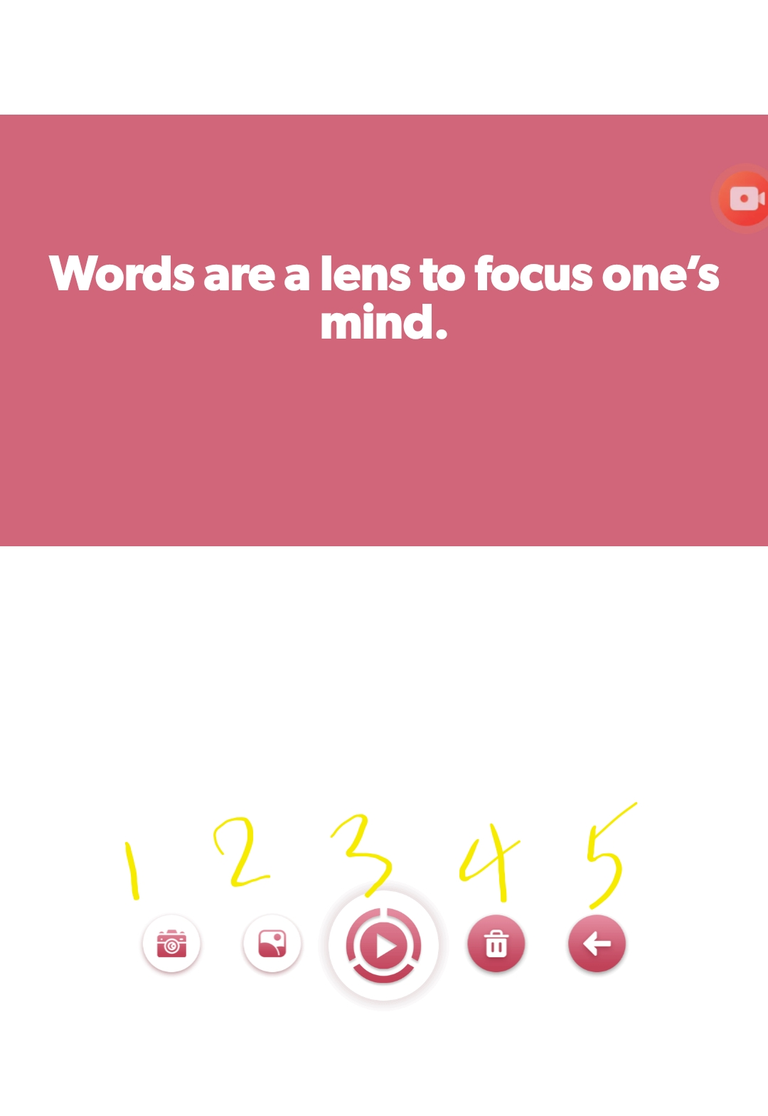 |
To create a new one, I clicked the "Start" button which brought me to the first image. I typed my words I want to make into motion, then click the [✅️] button which takes me to the next image.
- Number 1 is to add a video as a background to your text.
- Number 2 is to add an image as a background.
- Number 3 is what you will click to take you to the next step.
- Number 4 is delete button.
- Number 5 is to go back if there's any change to make.
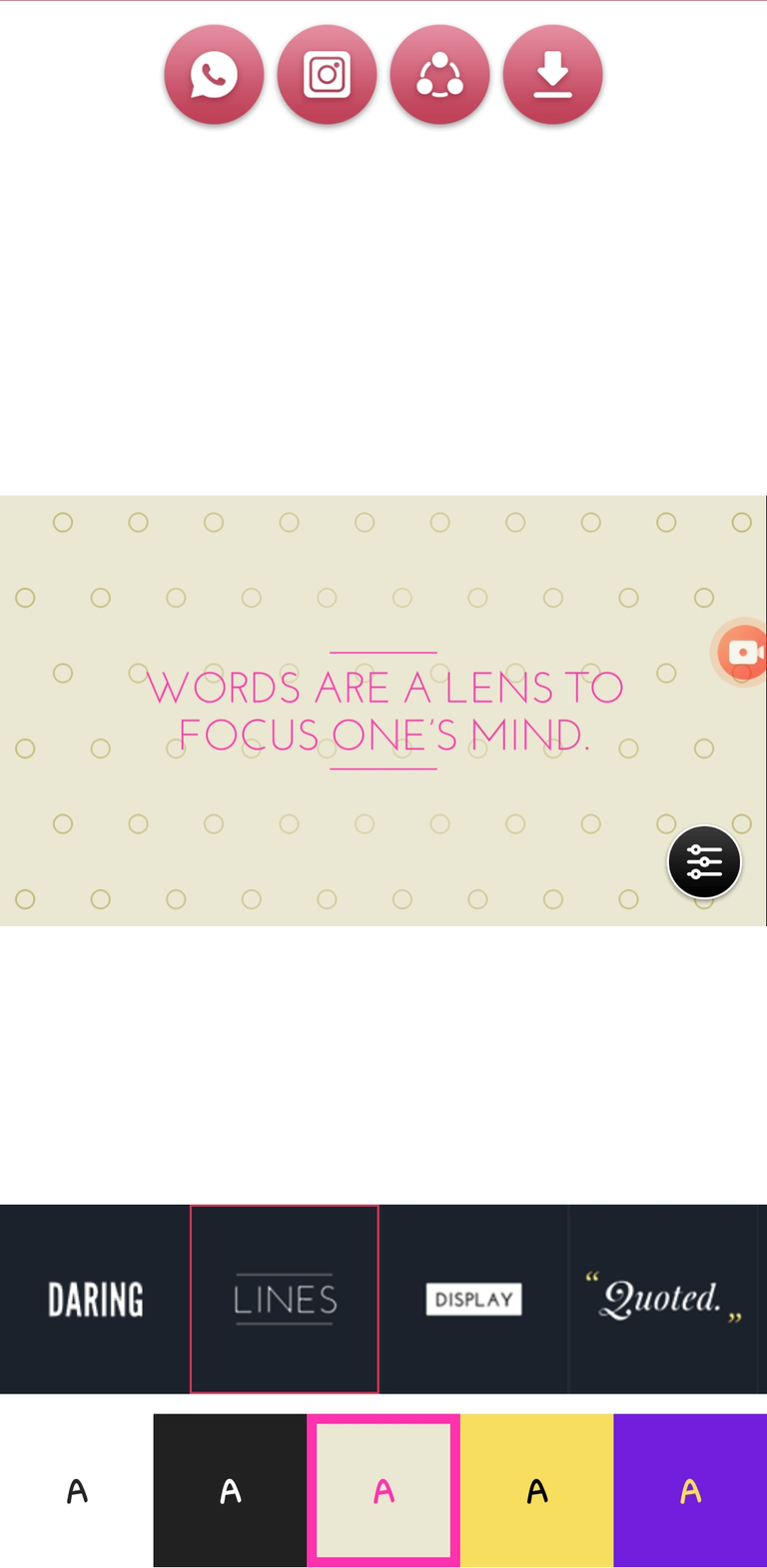
I click the number 3 option and it brought me to this last stage where I picked my choice of theme and background to suit the purpose of my work. There are lots of themes and background colours to choose from when you swipe forward.
When I was done, I clicked the download option, which is the last icon. There are two options: Save to Video or GIF (whichever you like). Then it gets downloaded to your gallery.
I repeated the same process for the rest of the words, and after I was done. I opened the Inshot app to do the necessary things.
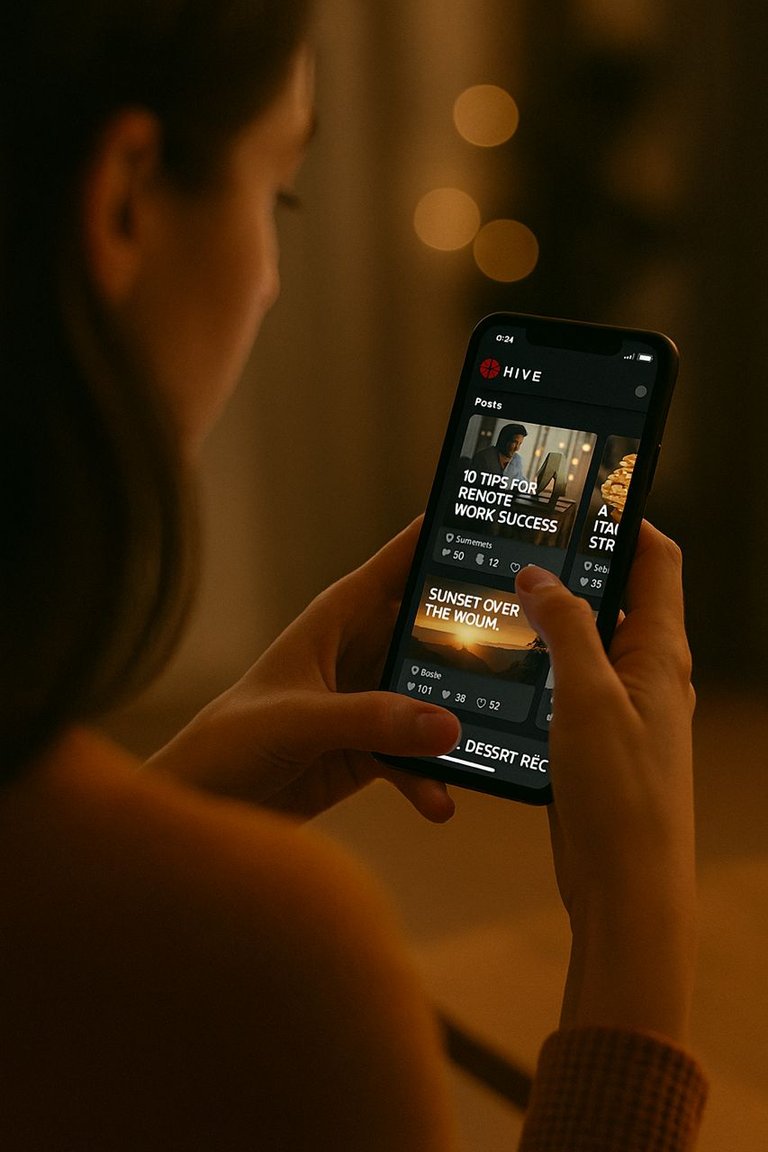
I merged the videos together. The laptop image in the video is mine, while the rest of the images used were generated from ChatGPT, including the "Hive Blockchain" logo I used.
 |  |  |
I added a voice-over using my voice to speak in the background. Then added music to flow along, and I exported. The result is what you see in my video.
Did I try?
This is just the beginning, and seeing my work, made me excited. The next day, we were taught Whiteboard animation which I practiced at 12 midnight today, and I love the outcome even though it was of low quality.
I was told to subscribe to get a higher quality, but that would be later, when perhaps it's something I will be making use of, particularly to generate income.
Screenshots from my phone and images generated from ChatGPT
▶️ 3Speak
Well done, @nkemakonam89 so you did not share the update to our side.
This is smooth and nice, Princess. How many minutes did it take you to make this?
You!!!!
Guy! I was expecting this.😂
Of course! 😂🫵🏾
😂
That man is looking for my trouble. 😂
It didn't take long. Although writing the texts took some time. Since I got all the images to use, everything went quick.
Hehehe ...sorry
Princess told me she wants to learn a skill , so immefuatjy I saw the advert , I remembered her
Wow! This is really creative, mama. I have always wanted to try this aspect of content creation and this is a great boost.
You edited the video so well, it’s hard to believe you’re a learner. 🫢
I got here before you!!!!😂
Hahaha 😂 competition.
Don’t mind us. 😂
You cheated!!!
Hehehe. I think I'm a fast learner, that is if I put my mind there oo 😅
Thank you, Hope.
That’s really admirable.
You’re welcome, mama. 🥰
Really beautiful video edit, Princess.
Well done.
!PIMP
Thank you so much. I appreciate.
You’re welcome!
Imagine me that gave u the link didn't have the time to join the tutorial 😃
I am proud of u babe🥰
Keep flying
This is beautiful 😇🥳💃🎉😍
Hehehe. Nkem come and learn, too 😆
Thank you for the compliment.
Congratulations @princessbusayo! You have completed the following achievement on the Hive blockchain And have been rewarded with New badge(s)
You can view your badges on your board and compare yourself to others in the Ranking
If you no longer want to receive notifications, reply to this comment with the word
STOPCheck out our last posts:
Thank you, buzzy.
You're a true champion @princessbusayo! Your efforts to publish a post every day of the week are inspiring. Keep up the great work!
Wow its really excellent I am seeing this thing or first time.