
You see a lot of Threads on what is the best Cover size for your Steemit Cover. While their intentions are good very few of them are giving the right answer. You can find the right answer in the Steemit FAQ where it says:
If that was what you were looking for there you go, that is the answer. Leave me a like and have a nice day. But if you stay I'll go a little deeper and explain why that is and how you can get most out of your Cover. Also I'll provide you with a free template with guidelines.
So 2048x512 seems to be a little strange because it looks more like this.

And not like what you can see on your desktop.

And also not like what you can see on your mobile device.

But since the Banner resizes depending on how wide your display is, it needs to have a scale that works for most devices.
On a Desktop it uses this part of the Image where it cuts round about 180px from the top and 180px from the bottom.

On a Mobile device it uses this part of the Image where it cuts 550px from both sides.

So you have to keep an eye on everything that should be visible for your viewers. Now lets get to the Template and how you can use it.
It's a PSD wich you can either open in Photoshop or if you cant or do not want to pay for software you can use a free software called GIMP. It's basacally Photoshop for free just click here to download it. And if you want the template click here
So let's open the template and take a look inside by clicking on “File>Open” and choosing the template.

So now you probably notice those guidelines. The space between the horizontal ones will be what you see on a full windowed desktop browser and the space between the vertical ones will be what you can see on a mobile browser. If you want to change the background to an image you want to use just drag and drop it in here and scale it till it fits.
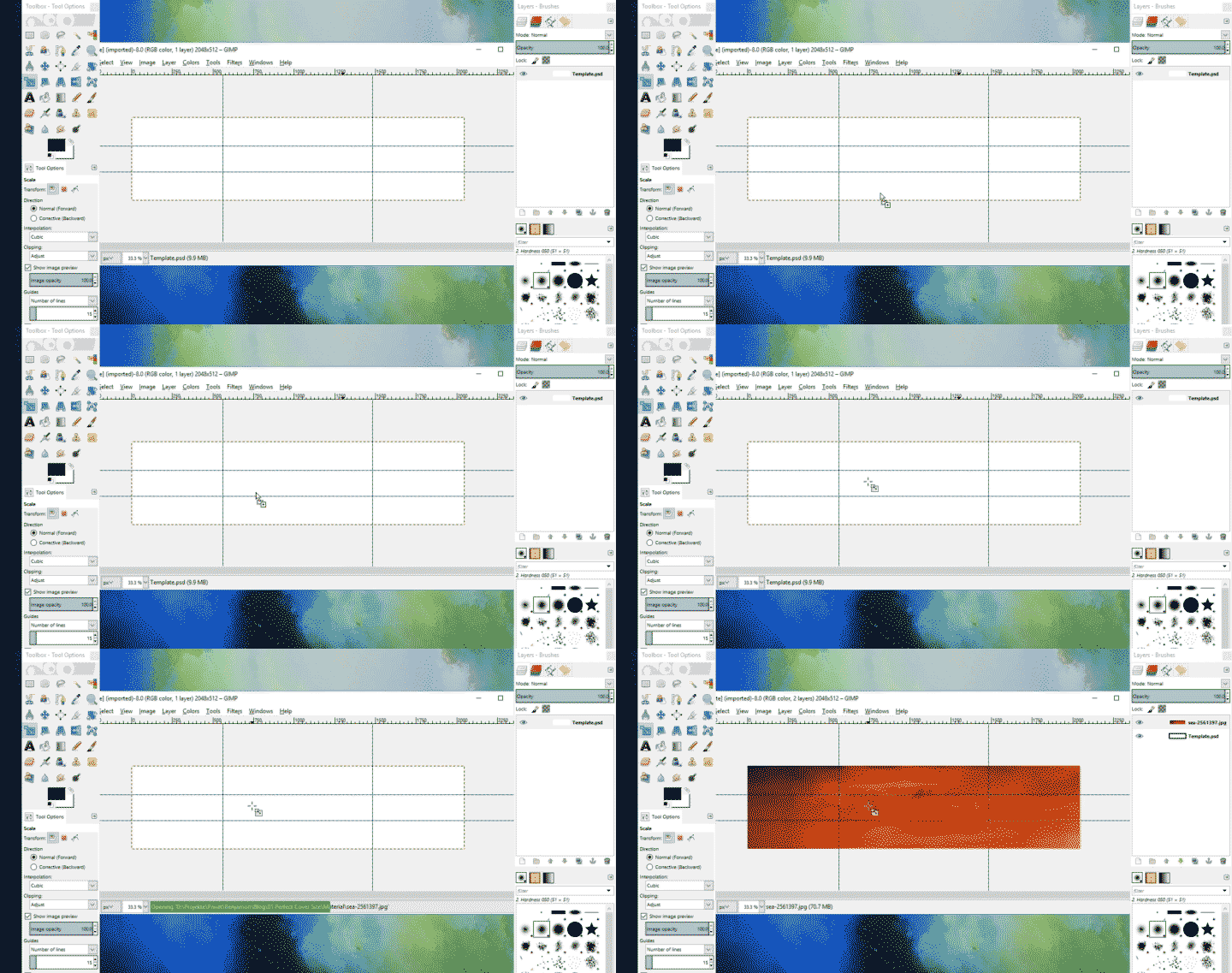
To scale it just make a right click go to “Image>Scale Image” and scale your Image so it fits. For this example I will scale it to 2050px which fits well for this picture.
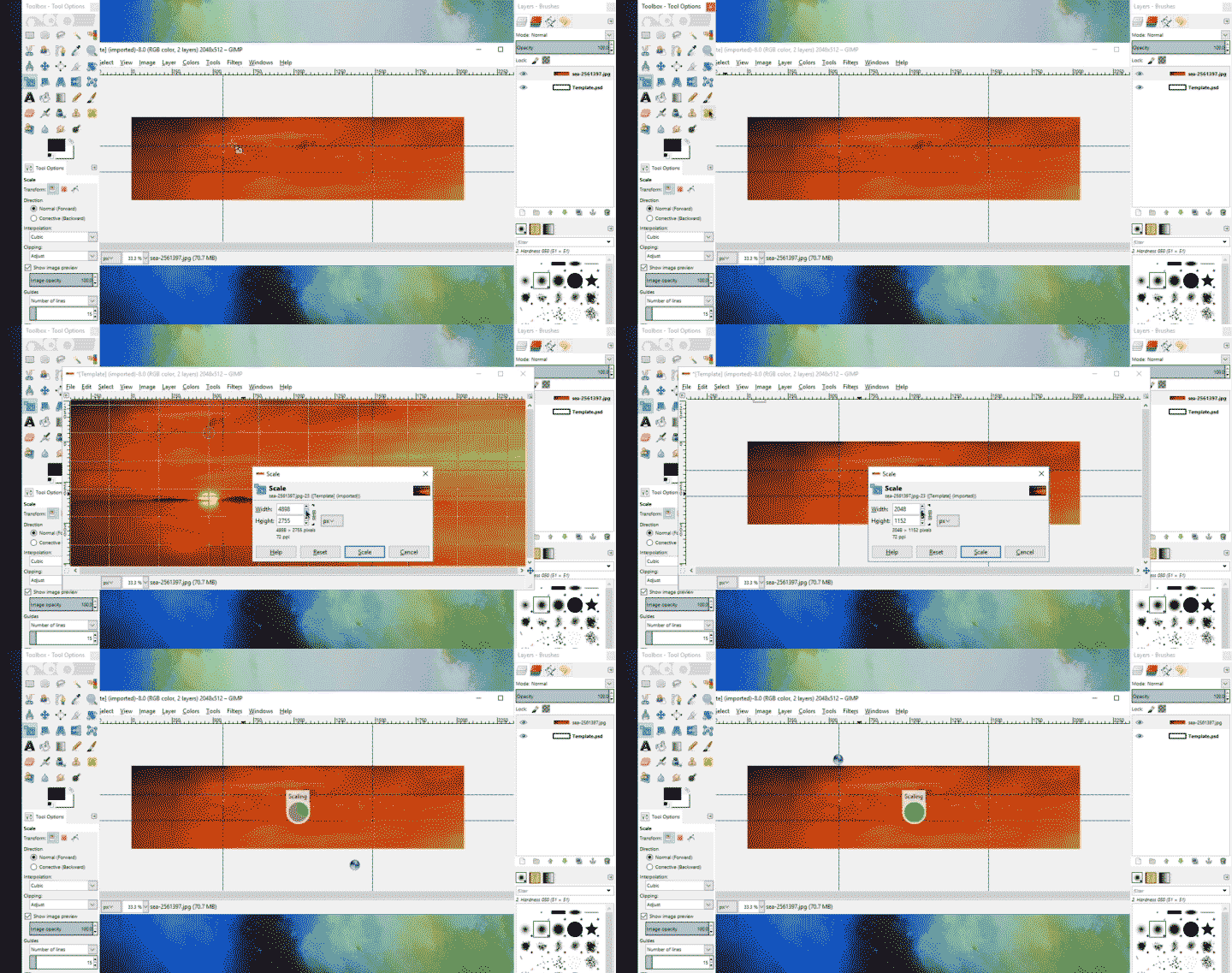
Now pick the drag tool and drag until it looks nice. Remember to size it so that you have all the important bits on the desktop version and also on the mobile version.

After you resized the picture to your liking just go to "File>Export". Now pick a name and location for your picture and pick a file format, I would recommend a PNG or JPG since every browser will display them correctly.

After that go to the location you saved the picture. Open your browser and host the picture to a website or a blog post. For this tutorial I'll use ImgBB.

After uploading the picture copy the link. Paste it in the searchbar and then make a rightclick on the image and pick “Copy Graphic Adress.”

Last step is to go to your Steemit Account Settings and paste the Link in the “Cover Image” tab and hit update.

I know this was a little bit long and weird but if you want to sepperate you from the others you have to make your blog appealing and this was the first step to do so.
If this tutorial was helpful to you I would greatly appriciate a vote! If you have any question or improvement feel free to ask/tell me in the Comments. And if you think your followers will like this post a resteem is always highly appriciated as well. If you want to have more tutorials and free templates like this follow me, I'll do more of those blogs in the future! Have a great Day!
Much loveBenjamon

Great tutorial! I want to update my Steemit cover profile soon and I'm gathering ideas and tools. Your cover looks great by the way.
Thank you very much! Let me know when you need some help :)
You're welcome! And thank you for offering help! Have you heard of Utopian? I think you could make some great contributions.
No problem, sry man I havent seen your response. Is there a way to get annotations here on steemit?
I havent heard of Utopian jet, could you explain what it is or provide a link?
Check this video:
The thing is that you have to read the rules very carefully because they are very strict. I made a mistake and published a post on the wrong date and it was wasted.
And for notifications you can use steem.rocks, this is your profile. I check it often to see all the activity of my account.
Look me up on Discord if you have more doubts. I'm happy to help: eddiespino#1698
Nice thank you very much! Man the community is so nice on here. I will come back to your offer for sure. :)
You are welcome!