
Hola amigos Cómo están soy Daniel espero están bien Quiero compartir con ustedes un video bien importante.
Hello friends How are you I'm Daniel I hope you are well I want to share with you a very important video.
Acá en Venezuela el gobierno regalo una tablet cánaima para todas aquellas personas que estaban estudiando, pero para mi tristeza, cuando él estaba regalando yo estaba saliendo de clases, en tiempo de vacaciones y cuándo vuelvo a entrar a clase ya él había dejado de regalarlas Así que no recibí mi laptop canaima ni tablet canaima tuve mala suerte para esto.
Here in Venezuela the government gave away a canaima tablet for all those people who were studying, but to my sadness, when he was giving it away I was leaving classes, in vacation time and when I go back to class he had already stopped giving them away, so I did not receive my canaima laptop or canaima tablet I was unlucky for this.

Este no es el punto, el punto que quiero traerles a continuación es la reparación de estas dos tablets canaima de ellas tengo que sacar una.
This is not the point, the point I want to bring you next is the repair of these two canaima tablets of which I have to remove one.
Un cliente llegó a mi taller con la finalidad de reparar una tablet de estas me trajo dos, una le servía la pantalla nada más y la otra solo tenía la batería buena, que lo que tenía que hacer era pasar una batería adentro de la tablet que tiene la batería mala y listo desarmar y cambiar respuestas y volverla armar. No tocaba reparar nada, solamente desensamblar y volver a ensamblar, sí que lo hice muchachos y voy a mostrar el proceso.
A customer came to my workshop with the purpose of repairing one of these tablets, he brought me two of them, one of them had only the screen and the other one only had the good battery, what I had to do was to put a battery inside the tablet that had the bad battery and ready to disassemble and change answers and reassemble it. I didn't have to repair anything, just disassemble and reassemble, yes I did it guys and I will show the process.


Herramientas
Tools
Destornillador de estría número 5 una paleta y un chupón de plástico con argolla, además una pulsera antiestática.
A number 5 slotted screwdriver, a trowel and a plastic pacifier with ring, as well as an antistatic wrist strap.
Proceso
Process
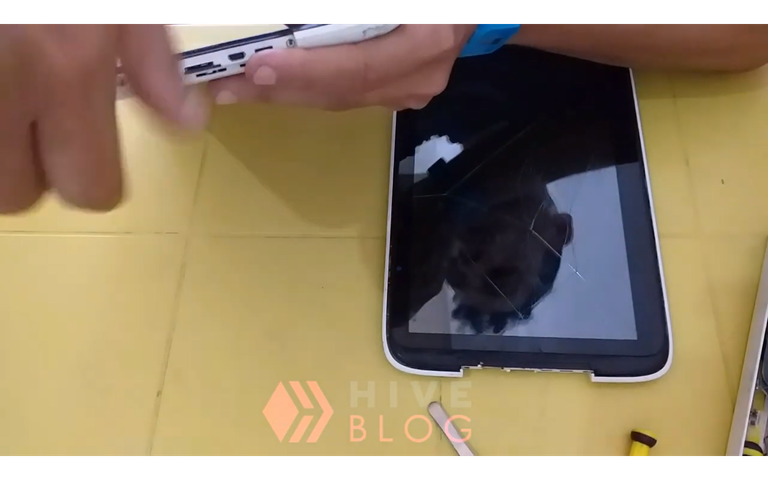
- Primero debes quitar los dos tornillos que están en la parte superior de la tablet, esto hará que la carcasa se pueda desajustar más fácilmente de la pantalla del táctil.
First you must remove the two screws on the top of the tablet, this will make it easier to remove the case from the touch screen.
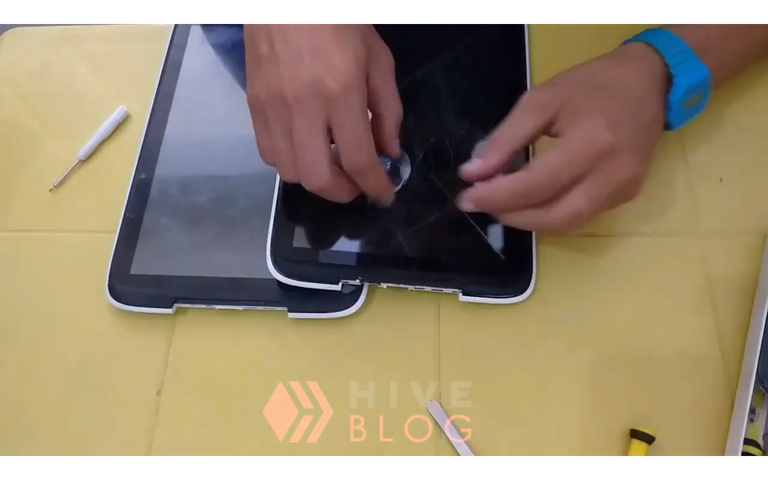
- Luego debes colocar el chupón con argolla presentando la pantalla es para que esto sujete la pantalla con fuerza y meterás tu dedo en la argolla y halarás la pantalla separándola de la carcasa con mucho cuidado por las dos esquinas Superiores de la tablet.
Then you must place the pacifier ring presenting the screen so that it holds the screen tightly and you will put your finger in the ring and pull the screen away from the casing very carefully by the two upper corners of the tablet.
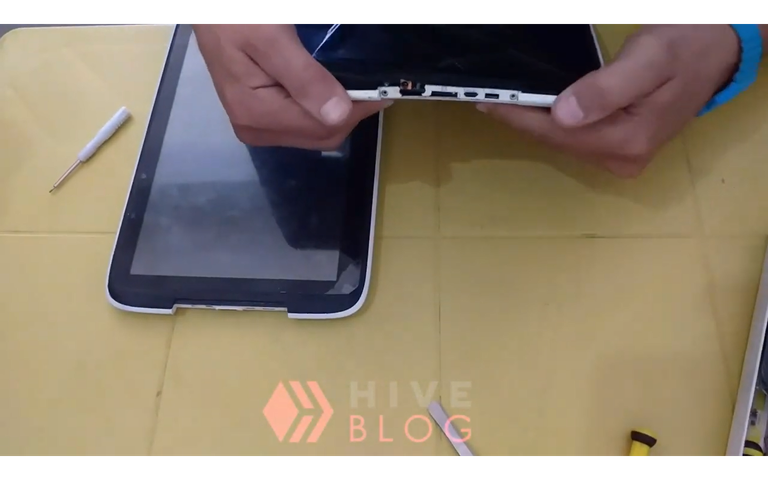
- Es muy importante que no metas ninguna espátula en la parte del bisel para separarlo, ya que podrías dañar la estética de la tablet, ella tiene una goma muy débil que puedes marcar, así que este trabajo solo se hace con presión con la mano y el chupón con la argolla.
It is very important that you do not put any spatula in the part of the bezel to separate it, as you could damage the aesthetics of the tablet, she has a very weak rubber that you can mark, so this work is only done with pressure with the hand and the sucker with the ring.

- Después de separar la carcasa de la pantalla simplemente tenemos que levantar El flex de la pantalla El flex del táctil El flex del botón de volumen para que la batería quede totalmente movible y libre.
After separating the casing from the screen we simply have to lift the screen flex, the touch flex and the volume button flex so that the battery is completely movable and free.
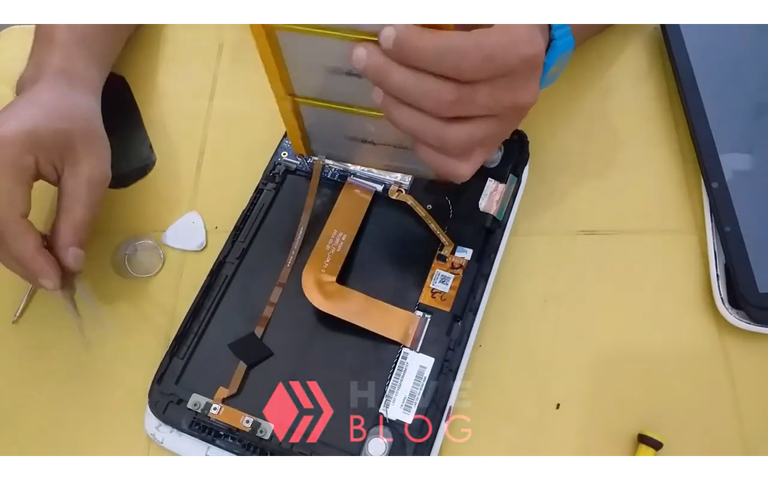
- Luego leemos quitar el Flex de la batería y levantar la batería y Listo ya pudimos cambiar las dos baterías.
Then we read remove the Flex from the battery and lift the battery and ready we could change the two batteries.

- Luego de esto realizamos el mismo proceso de armado y ya tendremos nuestra batería cambiada para la tablet que está completamente en funcionamiento y tendríamos tabla funcionando normales
After this we perform the same assembly process and we will have our battery changed for the tablet that is fully operational and we would have a normal working tablet.
Gracias por ver el video amigo
Thanks for watching the video my friend
fuentes del contenido
Traducción deepl
gift:
Logo facebook
logo instagram
Logo hive
Musica soundcloud.com
Guia para registro en hive
Como usar hive kaychain
Como regitrarse en hive youtube
Link de registro
Ganar algunos pequeños tokens por buscar en google. Registrare aqui
 Instagram
.png)

▶️ 3Speak
jaja, yo tampoco recibí tablet canaima ni laptop canaima, pero sin embargo tengo una de las minilaptops de las buenas y reparé una de esas tablets, a veces no es una ciencia tan avanzada, lo único que no sé hacer es soldar, pero buen contenido bro, saludos.
Si amigo exactamente no es tan dificil jejejej hay que tener es pasciencia sabes hacer lo mas dificil soldar todo lo demas es facil
Una muy buena tablet en su momento, nunca llegué a tener una, pero si pude experimentar con una prestada, si mal no recuerdo, el sistema operativo es lo primero que se le tumbaba para que fuese realmente funcional e interesante, muy buen tutorial, saludos estimado!
Real mente no se les tumba solo se les instala un parche que permite descargar mas apps
Esto lo hice pocas veces, aunque hace tiempo tuve una y... tenía como ciertos trucos para poder usarla, ya que donde va el flex de la pantalla estaba partida la pestaña y no hacía la función bien, junto con un primo nos inventamos algo para no perder esa placa.
Por cierto bueno truco el del chupón, no se me abría ocurrido xD
#NuevoTrucoDesbloqueado xD
PD: pensé que al final la ibas a encender 😢 me sentí estafado jajaaja
Si hermano jajajaja asi es. Es algo relativamente facil. Y lo del chupon lo trae el kid de herramientas para telefonos. Y si la prendi hermano pero no la mostre en el video jejej
The rewards earned on this comment will go directly to the people( @josuerr29 ) sharing the post on Twitter as long as they are registered with @poshtoken. Sign up at https://hiveposh.com.
Saludos, acá en Barquisimeto no he podido seguir diseñando, mi canaima se daño, me dicen que es la Bio y que hasta ahí llega su vida útil, estoy sin equipo y con grandes proyectos por realizar.
Hola amigo que modelo es su canaima
@josuerr29 Saludos mi apreciado amigo, yo no te se decir que modelo, se que es de las que denominan letras rojas.
Hola amigo si desea comunicarse para resivir soporte sobre si equipo este mi telegram @josuerr29
Saludos mi apreciado amigo, ok tomo tu Telegram agrego y le escribo, mil gracias de verdad.
Disculpa lo tarde de mi respuesta, no había visto tu mensaje, muchas gracias por contestar
Buen trabajo mi rey aquí tengo una guía cuando se me presente ese caso.
Dale manito estamos a la orden