In this post, we take a look at How to Import Data from PDF File in Power BI Desktop. Previously I explained how to import XML data into Power BI. So that was one of the tutorial through which you can import the XML data and also the files through the folder.
Now let's take a look at the data from the PDF file. This file should contain some data from the tables. Some of those tables you can think of when it comes to contain data and also those can be used to hold some data which we can import for this particular tutorial.
So let's import the PDF data into the Power BI.
I am going to make use of the PDF data that you can think of when it comes to importing here. You can import such pdf files through the kaggle. And you can find that from the kaggle website. Take this link for the pdf file.
Let's take a look at some of the steps that you can make use of for the importing data.
- Open the Power BI desktop.
- Click on the "Get Data" button.
- Check the PDF link from the list of the file sources or data sources.
- then point out the file to the pdf file.
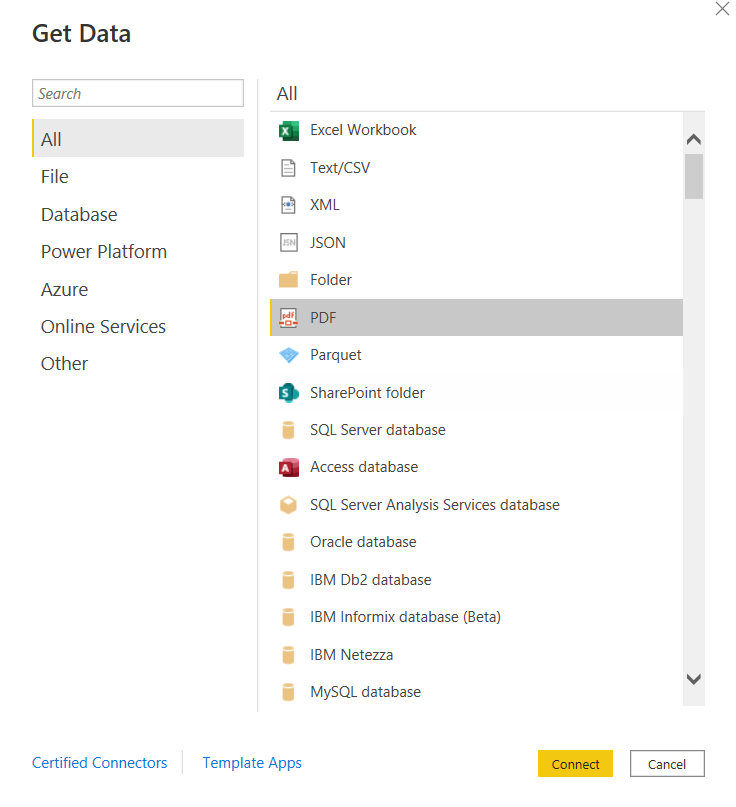
- Now you can load the data.
- You can load the data through DAX editor.
- Now then load the data into the Power BI desktop.
Let's assume that you have downloaded the pdf file that we have linked from the tutorial. So you have one table to import the data. You can also clean and filter the data and that would be making use of for the data that you are about to use with the power bi. And that in itself makes a bit easier for you to work with in power bi.
You are not limited to the single file data either. Instead you can make use of the multiple files import in power biand that would be another good option for you to import into. So regardless of the type of the data that you are importing you have something to upload for the same as well.
I have made one tutorial that you can check for the video. You can use that video to take the visual guidance on how to import the pdf data into the power bi desktop. You should share this video and subscribe to the channel if you happen to like the content. It'd definitely help you further with more such videos coming along.
I hope this tutorial helps you with importing the PDF data into Power BI.
Thanks for your contribution to the STEMsocial community. Feel free to join us on discord to get to know the rest of us!
Please consider delegating to the @stemsocial account (85% of the curation rewards are returned).
You may also include @stemsocial as a beneficiary of the rewards of this post to get a stronger support.
@tipu curate
Upvoted 👌 (Mana: 2/62) Liquid rewards.