If you're having problems streaming, start by making sure you have your keyframe interval set to 2. This prevents a whole host of issues when broadcasting to Vimm. The steps are going to be almost all the same no matter what application you use.
If you use Streamlabs OBS:

Make sure output mode is set to Advanced, or you won't see this option. Typically, it's set to 0, which should automatically find the right interval. It doesn't. Change that to 2 and then click Done.
If you use OBS Studio:
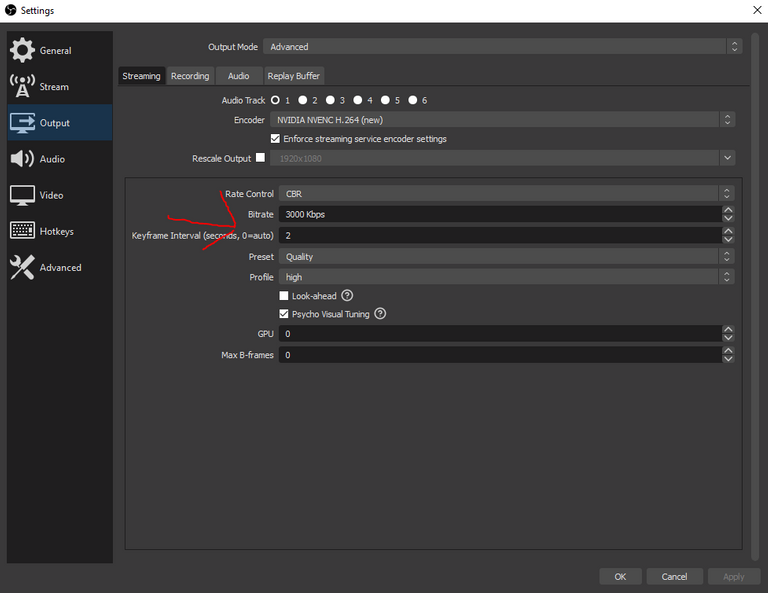
It's more or less the same here. Just make sure you click on either "Apply" or "OK" when you're done to save your settings.
If you use xSplit Broadcaster:

The parameters are hiding in the video encoding setup. Click on the gear below the mode drop down menu, and you should see the video encoding setup. Change the keyframe interval there.
If you still find yourself having problems, stop by our Discord and ask for help. We don't bite! Except on Halloween...
Get in touch!
 |
|  |
|  |
|  |
| 
Yap.. I had to manually take care of that one too.