Brief Details
This was another fun logo design project i enjoyed working on. I really liked the idea of the project and wanted to create something that fully represents the project very well. As always, i started out the process by getting the information i needed, did my research and sketched out my ideas. After i was confident with my ideas and i felt it was effective for the project, i took my idea sketch into illustrator execute the ideas into a refined vector design. The process i took before i arrived at the final design can be found below... Overall, it was really a fun logo design to make.
Design Process
Process in Illustrator

Idea concept
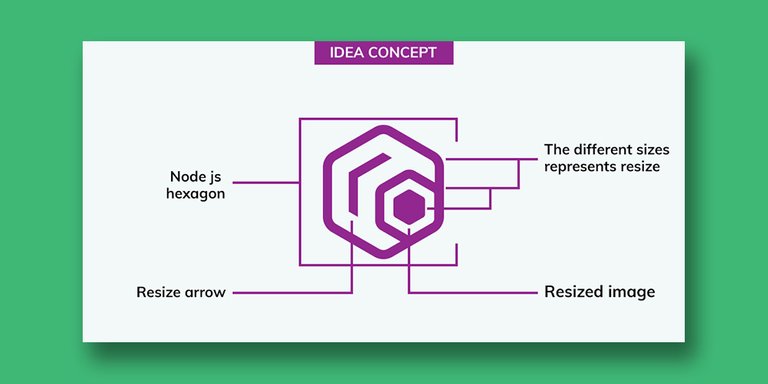
Logo Presentation
Icon types

👋 Hi @chimzycash, I was flipping through the blockchain and stumbled on your work! You've been upvoted by Sketchbook / a community for design and creativity. Looking forward to crossing paths again soon.
✅ Join the Sketchbook Community
What's the point of reposting old stuff with no obvious changes? https://peakd.com/utopian-io/@chimzycash/my-logo-design-for-optisize