VIM
Published with SteemPeakhome ~ previous
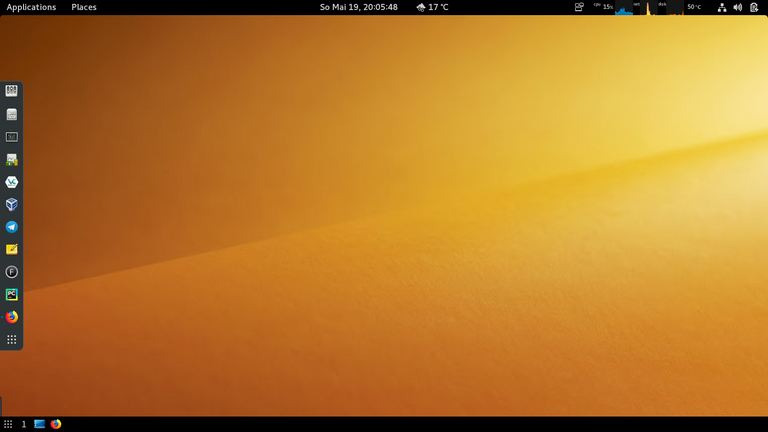 Screenshot by Willi Glenz
SUMMARY
24 VIM ................................................................ v1 19-08

17 installation ....................................................... v3 19-09 update
07 configuration ...................................................... v2 19-09
23 updates ............................................................ v3 19-09 update

08 first-steps ........................................................ v1 19-06
05 modes .............................................................. v2 19-06
01 movements .......................................................... v2 19-06
10 marks .............................................................. v1 19-06
04 buffers ............................................................ v2 19-06
13 tabs ............................................................... v1 19-06
15 windows ............................................................ v2 19-07
11 folds .............................................................. v1 19-06
22 key-mappings ....................................................... v1 19-07
12 text-objects ....................................................... v1 19-06
21 registers .......................................................... v1 19-07
14 ex-commands ........................................................ v3 19-06
19 vim-mode in bash ................................................... v1 19-06
20 vim-mode in fish ................................................... v1 19-06
03 cheat-sheet ........................................................ v3 19-06
18 youtube ............................................................ v1 19-06
06 macros ............................................................. v3 19-07

09 tutorials .......................................................... v2 19-07
02 documentation ...................................................... v3 19-06
#24
24 VIM
Homepage          : vim.org
Documentation     : vim.org/docs.php
23 UPDATES
GITHUB

 01 $ vim --version | less -N .................. check vim version (patch level)
 01 $ :ve ...................................... check vim version (patch level)
 02 $ cd ~/Apps/Vim ....................... place of your local vim installation
 03 $ git pull .................................................... pull changes
 04 $ cd ~/Apps/Vim/src ................................ change to src directory
 05 # make distclean .......................... if you build vim before ... make
 06 # make ................................................................ make
 07 # make install ........................................................ make
 08 : :ve .................................................... check vim version
Homepage ............................................................... vim.org
Documentation ................................................. vim.org/docs.php
Git ............................................................ vim.org/git.php
Github ...................................................... github.com/vim/vim
22 KEY-MAPPINGS
:map <F2> a<C-R>=strftime("%c")<CR><ESC>
:map <F2> ggVG"+y
:map <F2> :set list!
:h mapping ......................................................... key-mapping
21 REGISTERS
DEFAULT REGISTER "

    yiw             => pP           yank in word            normal mode
    yiw             => <ctrl-r>"    yank in word            insert mode
    ciw             => <ctrl-r>"    change in word          insert mode

REGISTER "a ... "z "A ... "Z

    "ayiw           => "ap                                  normal mode
    "ayiw           => <ctrl-r>a                            insert mode
    <shift-v>"ay    => pP                                   visual mode
:registers :reg ....................................................... register
:h registers .............................................................. help
20 VIM-MODE IN FISH
~> vim .config/fish/config.fish
     #fish_default_key_bindings
     fish_vi_key_bindings
   :wq
~> <ctrl-d>
.......... stackoverflow.com/questions/28444740/how-to-use-vi-mode-in-fish-shell
.......................................... fishshell.com/docs/current/index.html
19 VIM-MODE in BASH
$ vim ~/.bashrc
  set -o vi
  bind -m vi-insert "\C-l"      # clear-screen
:wq
Source : sanctum.geek.nz/arabesque/vi-mode-in-bash/
18 YOUTUBE
Chris Toomey ~ Mastering the Vim Language ................. youtu.be/wlR5gYd6um0
:h user-manual <ctrl-w_> ........................................... user manual
:h reference <ctrl-w_> ........................................ reference manual
17 INSTALLATION
DEBIAN-INSTALLATION

 01 $ apt-cache search ^vim | less
 02 # apt install vim ctags vim-doc vim-scripts
 03 $ apt-cache show vim
 04 $ vim --version | less

GITHUB-INSTALLATION

 01 $ :ve .............................. check vim standard version (patch level)
 02 $ cd ~/Apps ........................................ place of your local apps
 03 $ git clone https://github.com/vim/vim.git ............... first installation
 04 $ cd ~/Apps/vim/src ............................................ make process
 05 # make ................................................................. make
 06 # make install ......................................................... make
 07 : :ve ..................................................... check vim version
Manpages ............................................................. $ man apt
Github ......................................................... vim.org/git.php
15 WINDOWS
^ws ^wv :sp :vs :vs|b2 ................................................... split
^w= ^w_ ^w20< ^w :res :vertical res 120 ................................. resize
^wr ^wR ^wx ............................................................. rotate
^wn ........................................................................ new
^wc ^wq :q :close ........................................................ close
^whjkl ^wt ^wb  ^wp ^ww ^wx ..............................................  move
gg G 50% ^e ^y ^n ^u ^d ^f ^b ............................................. move
^wo :ls :ba :vert ba :vert 2ba :vs|b2 ................................... buffer
^wq ^wc ................................................................... quit

:set ruler noruler ....................................................... ruler
:set linebreak nolinebreak ........................................... linebreak
:set splitright laststatus=2 ............................................. vimrc
:call matchadd('colorColumn', '\%81v', 100) ........................ colorColumn
:h ^w_ ........................................................... documentation
:mks $ vim -S Session.vim .............................................. session
14 EX-COMMANDS
SUBSTITUTE

:s/abc/xyz/ ...................... substitute .................... first in line
:s/abc/xyz/gc .................... substitute ...................... all in line
:%s/^/# / ........................ substitute ............................. file
:%s/$/;/ ......................... substitute ............................. file

:%sort :sort ..................... sort ................................... file
:1,10sort ........................ sort ................................... part
:h user-manual <ctrl-w_> ........................................... user manual
:h reference <ctrl-w_> ........................................ reference manual
13 TABS
:tabnew ................................................................ tab new
:tabe dummy.txt ....................................................... tab edit
:tab split ........................................................... tab split
:tabn :tabn2 :tabp gt 3gt gT ................................. tab next previous
:tabmove 0 ............................................................ tab move
:tab ba ......................................................... tab buffer all
:tabonly .............................................................. tab only
:tabm :tabm 0 ......................................................... tab move
:tabclose :q .................................................... tab close quit
:h user-manual <ctrl-w_> ........................................... user manual
:h reference <ctrl-w_> ........................................ reference manual
12 TEXT OBJECTS
aw iw aW iW ...................... a|inner ................................ word
as is ............................ a|inner ............................ sentence
ap ip ............................ a|inner ........................... paragraph
a"'` i"'` ........................ a|inner .............................. string
a[](){}<> i[](){}<> .............. a|inner ............................... block
at it ............................ a|inner ........................... tag block
:h text-objects <ctrl-w_>
11 FOLDS
$ vim ~/.vimrc
  autocmd BufWinLeave *.* mkview
  autocmd BufWinEnter *.* silent loadview
:wq

zf ...................................................................... create
zo zn :%foldopen ..................................................... open none
zc zm :%foldclose ................................................... close more
zd ...................................................................... delete

:mkview :loadview .................................................... save load
:set foldmethod :set fdm ............................................ foldmethod
:h user-manual <ctrl-w_> ........................................... user manual
:h reference <ctrl-w_> ........................................ reference manual
10 MARKS
ma 'a `a .............................................................. set mark
:marks :marks ABC ................................................... list marks
mA mB 'A 'B .................................................... different files
:delmarks A-Z a,b,c :delmarks! .................................... delete marks
:h user-manual <ctrl-w_> ........................................... user manual
:h reference <ctrl-w_> ........................................ reference manual
09 TUTORIALS
$ vimtutor en ......................................................... tutorial

TutorialsPoint      : tutorialspoint.com/vim/index.htm
Bram Moolenaar      : moolenaar.net/habits.html
Ben McCormick   I   : benmccormick.org/2014/06/30/learning-vim-in-2014-the-basics
Ben McCormick   II  : benmccormick.org/2014/07/02/learning-vim-in-2014-vim-as-language
:h user-manual <ctrl-w_> ........................................... user manual
:h reference <ctrl-w_> ........................................ reference manual
08 FIRST-STEPS
01 INSTALL VIM

   # apt-get install vim gvim vim-doc vim-scripts ....................... DEBIAN
   # pacman -S vim ........................................................ ARCH
   $ dpkg -L vim-doc
   # update-alternatives --config editor
   $ vim --version | less

02 REMAP <CAPS LOCK> TO <ESC>

   • GNOME-TWEAK-TOOL: Typing-Tab > Caps Lock key behaviour > Make Caps Lock an additional ESC

03 LEARN AND TRAIN THE BASICS

   $ vimtutor en
   $ firefox vim-adventures.com
   • vim, :h user-manual :resize

04 DISABLE YOUR ARROW KEYS

   $ vim ~/.vimrc
     map <up> <nop>
     imap <up> <nop>
     map <down> <nop>
     imap <down> <nop>
     map <left> <nop>
     imap <left> <nop>
     map <right> <nop>
     imap <right> <nop>
   :wq

05 CONFIGURE YOUR BASH-ENVIRONMENT

   : echo $MYVIMRC
   # update-alternatives --config editor
   $ vim ~/.bashrc
     EDITOR=/usr/bin/vim
     VISUAL=$EDITOR
     export EDITOR VISUAL
   :wq

06 ACTIVATE VIM-MODE IN BASH

   $ vim ~/.bashrc
     set -o vi
     bind -m vi-insert "\C-l"       # clear-screen
   :wq

07 ACTIVATE VIM-PLUGIN IN FIREFOX

   Plugin: Vim Vixen
Homepage    : vim.org
Reference   : vimhelp.org/quickref.txt.html
07 CONFIGURATION
$ vim --version | less
:set

$ vim ~/.vimrc
   colorscheme desert                   "desert default
   set scrolloff=99                     "Scrolling behaviour
   set splitright                       "Splitting behaviour
   set rnu                              "Relative line numbers
   set nonu                             "Line numbers
   set nocompatible
   set showmode
   set ruler
   set linebreak
   set showcmd
   set laststatus=2
   set background=dark
   set encoding=utf8
   filetype on
   filetype plugin on
   set mouse=a
   "set colorcolumn=80
   "set cursorline

   "IDE
   syntax on
   set autoindent
   set smartindent
   set cindent

   "FOLDING
   autocmd BufWinLeave *.* mkview
   "autocmd BufWinLeave *.* mks!
   autocmd BufWinEnter *.* silent loadview

   "DISABLE ARROW KEYS
   map <up> <nop>
   imap <up> <nop>
   map <down> <nop>
   imap <down> <nop>
   map <left> <nop>
   imap <left> <nop>
   map <right> <nop>
   imap <right> <nop>

   "SEARCH
   set nohlsearch
   set incsearch

   "TABs
   set tabstop=4
   set softtabstop=4
   set shiftwidth=4
   set expandtab

   "KEY MAPPINGS
   let mapleader = ","
   map <Leader><F8> :set rnu!<CR>
   map <Leader>, :mks!<CR> :wa<CR>
   map <Leader>q zm:mks!<CR> :wqa<CR>
   "map <F2> :echo 'Current time is ' . strftime('%c')<CR>
   nmap <F2> ggVG"+yzm
   map <F5> :set list!<CR>
   map <F6> :setlocal spell! spelllang=en_us<CR>
   map <F8> :set nonu nornu<CR>
   map <F9> :set rnu<CR>
   map <F10> :set nu<CR>

   "ABBREVIATIONS
   :iab ii <esc>
   :iab psv public static void(String[] args) {<cr>}<esc>ko
   :iab sout System.out.println(
:h user-manual ... ^w_ ............................................. user manual
:h reference ..... ^w_ ........................................ reference manual
06 MACROS
SESSION
01 qw .................................................................. start w
02 q .................................................................... stop w
03 @w .................................................................... run w
04 :put w ............................................................... edit w
05 0"wy$ .............................................................. update w

Macros are stored in registers (a...z)
:reg .................................................................. register
Homepage ............................................................... vim.org
Documentation ................................................. vim.org/docs.php
:h macro ................................................................ macros
:h user-manual <ctrl-w_> ........................................... user manual
:h reference <ctrl-w_> ........................................ reference manual
Luke Smith ................................................ youtu.be/wRFEBw02aT8
TheFrugalComputerGuy ...................................... youtu.be/OGqTt7Yhuhc
05 MODES
:h Normal-mode ......... <ctrl-w_> ................................. Normal mode
:h Insert-mode ......... <ctrl-w_> ................................. Insert mode
:h Visual-mode ......... <ctrl-w_> ................................. Visual mode
:h Command-line-mode ... <ctrl-w_> ........................... Command-line mode
:h Select-mode ......... <ctrl-w_> ................................. Select mode
:h Ex-mode ............. <ctrl-w_> ..................................... Ex mode
:h Terminal-mode ....... <ctrl-w_> ............................... Terminal mode

Normal Mode             <esc>
Visual Mode             v, V, <ctrl-v>
Command-line Mode       :, /, ?

i I .................... INSERT MODE .................................... insert
aA ..................... INSERT MODE ........................... append & insert
sS cC .................. INSERT MODE ........................... delete & insert
oO ..................... INSERT MODE .................................... insert
:h vim-modes
04 BUFFERS
:ls :buffers :files ........................................... list all buffers
:b1 :b2 :bn :bp :bf :bl :b# ................ 1|2|next|previous|first|last buffer
:badd <ctrl-d> ...................................................... add buffer
:bd :bdelete ..................................................... delete buffer
:set hidden|nohidden .................................................... hidden

:mks :mks! ........................................................ save session
:h user-manual <ctrl-w_> ........................................... user manual
:h reference <ctrl-w_> ........................................ reference manual
03 CHEAT-SHEET
:ab :abc :unab ^v ................................................... abbreviate
aA iI oO sS C ~ ....................................... append insert substitute
:ls :buffers :badd :b1 :b2 :bn :bp :bf :bl .............................. buffer
$ vim -u NONE -N ...................................................... baseline
r x ~ .......................................... character replace delete change
ci( ci{ ci< ci" ................................................... change inner
vj"+y ................................................................ clipboard
<esc> gg v G "+ y ......................................................... copy
dd D x d$ dip diw daw dit di" das ....................................... delete
$ vim -O ~/.vimrc ~/.bashrc ^ww ^wr ^wc ^wq ............................... edit
~ :e :edit $ ^xe .......................................................... edit
zf5j zo zc zd .......................................................... folding
:ve ^g g^g ......................................................... information
qa :reg a @a ............................................................ macros
m1 '1 `1 marks ............................................................ mark
[InsertMode] ^n .......................................................... match
hjkl gj gk gg G HML ................................................ move cursor
1% 50% 100% zz zb zt z<enter> ...................................... move cursor
:set nu|nonu :set rnu|nornu ............................................ numbers
. ....................................................................... repeat
/ f * # q/ q? q: :%s/one/two/g .......................................... search
/\cabc /\Cabc /\<abc\> :nohl ............................................ search
:set incsearch noincsearch :set hls nhls ................................ search
u U ^r ............................................................... undo redo
:ve :version ........................................................... version
:q :q! :qa :qa! :wq :wqa :exit ZZ ZQ ...................................... exit
:h user-manual <ctrl-w_> ........................................... user manual
:h reference <ctrl-w_> ........................................ reference manual
02 DOCUMENTATION
:h user-manual ................ <ctrl-w_> .......................... User manual
:h reference  ................. <ctrl-w_> ..................... Reference manual
:h :resize .................... <ctrl-w_> ...................... vim-help-system
$ man vim ............................................................ man-pages
file:///usr/share/doc/vim-doc/html/index.html ...................... file-system
Documentation I     : vimhelp.org
Documentation II    : vimhelp.org/usr_toc.txt.html
FAQ                 : vimhelp.org/vim_faq.txt.html
Wiki                : vim.wikia.com/wiki/Vim_Tips_Wiki
01 MOVEMENTS
zz z. zb z- zt z<enter> ........ cursor ............................ move cursor
h j k l gj gk .................. character ............... left, down, up, right
b w B W ge e ................... word ............................ back, forward
0 ^ gm $ ....................... sentence ................... start, middle, end
( ) ............................ sentence ....................... next, previous
{ } ............................ paragraph ...................... next, previous
H M L .......................... window ...................... high, middle, low
gg G 1% 50% 100% ............... document ..................... first, last line
% .............................. brace, bracket, comment .................. next
Homepage    : vim.org
Reference   : vimhelp.org/quickref.txt.html
This post had received 5.00% upvote from @steemitportugal account!
Our website has lots of news and tutorials you can visit right now at www.steemitportugal.com
Click here to vote

Delegation for daily voting: 10SP-25SP-50SP-100SP-250SP-500SP-1000SP