TLDR
Made a cup
Along the way I learned to:
- Create edges using Ctrl + R
- Extrude faces
- Use Layers
- Add images to the viewport
- Join edges into faces
- Adust some render settings
Then I rendered my scene
Log
- Today I challenged myself to make a cup based on a provided image. I went on google and found an image of a simple mug caught from the front. I imported it into blender and made it visible from the front view.
- I added in a cylinder to a new layer and added some faces to adjust the thickness of the mug at different points (Ctrl + R).
- I also divided the faces in such a way so I had a place to start the handle at. From that point, I started my extrusion.
- I followed the image and when I hit the endpoint I created new faces connecting the mug and the handle.
- I encountered a weird shader error at this point, which looked like someone was pinching the sides of the mug where I created the faces. This got solved when I deleted the face which was underneath the new faces connecting the mug with the handle.
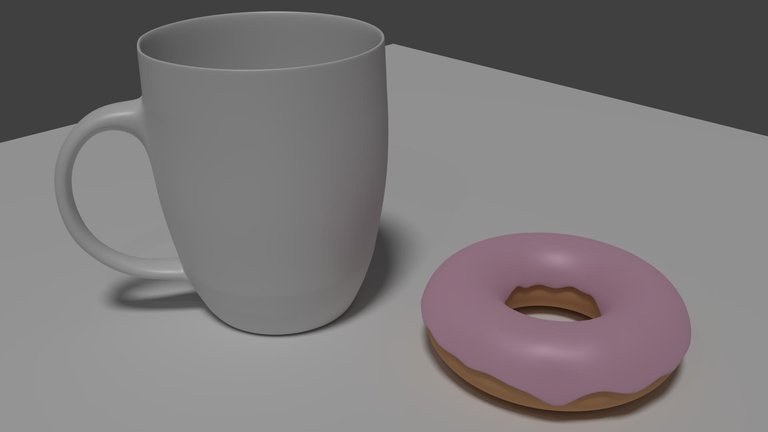
- Lastly, I enabled the option to render the whole image at once and left it running with a high sample limit while I was on my Sunday bike ride. When I came home it had 5700 samples, which was plenty for my image, and I shut it off. This is the final image:
Image
Here I made a simple scene with the donut from yesterdays post and the cup from today :)
Thanks for reading!
An upvote really helps with my steem monsters addiction :)
Comment your questions down below! I finally have enough steem power to answer them all.
Thanks guys! Stay awesome! See you sometime later :)
Hello, fellow Blender user!
Is this from the iconic Blender Guru's donut tutorial? :D
Your models are looking good so far. The edge of that cup could use so more thiccness, though, if you ask me.
Yes :) I follow that tutorial pretty much step by step. It is a great asset.
Posted using Partiko Android