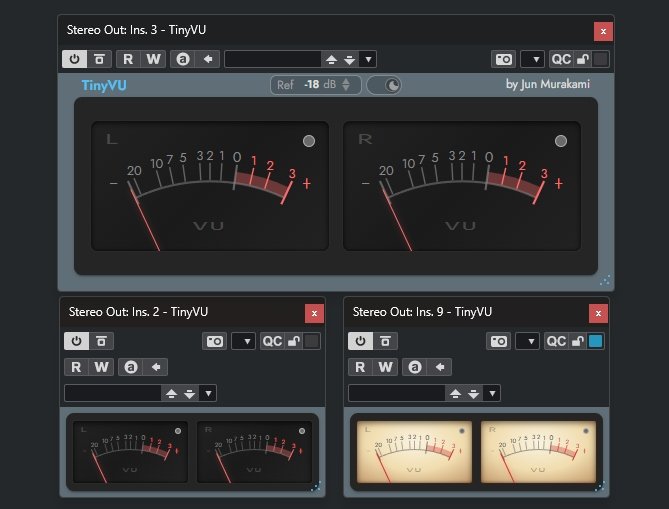
TinyVU is one of those plugins that solves a problem you didn't know had a name. It's Jun Murakami's VU meter that you can shrink down to almost nothing, so it just sits in a corner of the screen while you keep an eye on your levels. My laptop screen gets cramped during any streaming or live session, and this is exactly the kind of thing built for that situation.
The meter behavior is modeled on the Waves VU meter and tracks it very closely, so it feels familiar if you've ever worked with hardware meters. The screenshot on the product page shows it at a few different sizes in Cubase, from a full stereo pair down to something tiny you could tuck into a window corner. The reference is set to minus 18 dB by default, which is a sensible starting point for most work.
Version 1.0.6 is the current release. It runs as VST3, AU, AAX, LV2, and CLAP on macOS, Windows, and Linux, and the downloads are free from the product page. There's also a web demo you can try in the browser before installing anything.
Product page: https://jun-murakami.web.app/apps/tinyvu
The fact that it tracks the Waves VU meter so closely while shrinking down to a corner of the screen is exactly why this would stay open in every streaming session.