WordPress 7.1 y WP Rocket: el fatal error de agosto (y cómo se arregla) | The August Fatal Error (And How to Fix It)
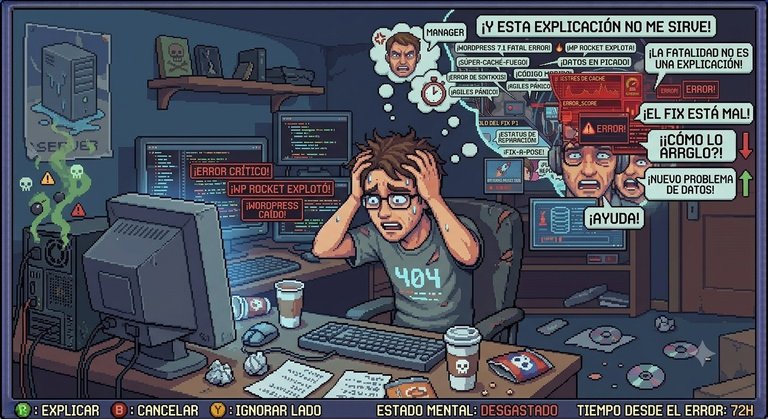
⚠️ Imagen generada con IA / Image generated with AI · Traducción al inglés realizada con IA / English translation by AI
Español
La escena es conocida: «es una actualización menor, no pasa nada». WordPress 7.1 llegó en agosto de 2026 y, para los que tenían WP Rocket activo, sí pasó algo. Algo gordo.
Qué pasó (técnicamente)
No era la caché. No era el CSS optimizado. Era un error fatal de PHP en la integración de Cloudflare del plugin, y este es el mensaje que alegró el día a más de uno:
PHP Fatal error: Uncaught TypeError: substr(): Argument #1 ($string)
must be of type string, int given
.../wp-content/plugins/wp-rocket/inc/ThirdParty/Plugins/CDN/Cloudflare.php:562
Traducción: WordPress 7.1 empezó a pasarle un número entero a una función que esperaba texto. El núcleo cambió una línea en silencio y el plugin se llevó la web por delante. Que conste que el plugin solo hizo lo que le tocaba: reventar con elegancia.
La buena noticia: ya hay solución oficial
WP Rocket lo arregló en la versión 3.23.2.2 (artículo oficial de la KB y issue #8596 en GitHub). Si todavía no has actualizado: actualiza el plugin y se acabó el problema. Si la web ya está caída, sigue leyendo.
Cómo se arregla (paso a paso)
Si aún tienes acceso al panel:
- Desactiva WP Rocket.
- Instala y activa el plugin helper WP Rocket - Update Notification Recovery.
- Si aparece el aviso de carpeta modificada, pulsa Restore folder name.
- Pulsa Check Available Updates Now y actualiza a la 3.23.2.2.
- Cuando termine, desactiva y borra el plugin helper.
Si te quedaste sin acceso al panel (vía FTP):
- Renombra
/wp-content/plugins/wp-rocket/awp-rocket-off. - Entra en el panel: la web vuelve y WP Rocket aparece desactivado.
- Renombra la carpeta de vuelta a
wp-rocket. - Instala el helper y actualiza como en el caso anterior.
Workaround manual: WP Rocket publicó un parche en la línea 562 de Cloudflare.php (un guard is_string()) y un drop-in de emergencia para mu-plugins. Funciona, pero lo suyo es quedarse con la actualización oficial.
Lecciones (de pago, como siempre)
- Actualizar el core no termina en el core: después toca actualizar los plugins grandes. El fix suele llegar en horas o días.
- Saber entrar por FTP cuando el panel dice adiós vale más que cualquier curso de WordPress.
- Los viernes no se actualiza nada. Nunca. (Sobre todo en agosto.)
Total, que si te ha tocado: no eras tú, era la 7.1. Respira, renombra la carpeta y actualiza el plugin. Y la próxima vez, ya sabes: los lunes, y con backup.
Post original en todomal.es
English Version
The scene is familiar: "it's a minor update, nothing will happen". WordPress 7.1 arrived in August 2026 and, for those running WP Rocket, something did happen. Something big.
What happened (technically)
It wasn't the cache. It wasn't the optimized CSS. It was a fatal PHP error in the plugin's Cloudflare integration, and this is the message that made someone's day:
PHP Fatal error: Uncaught TypeError: substr(): Argument #1 ($string)
must be of type string, int given
.../wp-content/plugins/wp-rocket/inc/ThirdParty/Plugins/CDN/Cloudflare.php:562
In plain terms: WordPress 7.1 started passing an integer to a function that expected a string. The core changed one line silently and the plugin took the site down with it. To be fair, the plugin just did what it was told: crash gracefully.
Good news: there's an official fix
WP Rocket fixed it in version 3.23.2.2 (official KB article and issue #8596 on GitHub). If you haven't updated yet: update the plugin and you're done. If your site is already down, keep reading.
How to fix it (step by step)
If you still have admin access:
- Deactivate WP Rocket.
- Install and activate the helper plugin WP Rocket - Update Notification Recovery.
- If the folder-name notice appears, click Restore folder name.
- Click Check Available Updates Now and update to 3.23.2.2.
- When done, deactivate and delete the helper plugin.
If you lost admin access (via FTP):
- Rename
/wp-content/plugins/wp-rocket/towp-rocket-off. - Log into the admin: the site is back and WP Rocket shows as deactivated.
- Rename the folder back to
wp-rocket. - Install the helper and update as above.
Manual workaround: WP Rocket published a patch for line 562 of Cloudflare.php (an is_string() guard) and an emergency drop-in for mu-plugins. It works, but the official update is the way to go.
Lessons (paid in full, as always)
- Updating the core doesn't end with the core: then you update the big plugins. The fix usually arrives within hours or days.
- Knowing how to get in via FTP when the admin says goodbye is worth more than any WordPress course.
- Never update anything on a Friday. Ever. (Especially in August.)
So if it happened to you: it wasn't you, it was 7.1. Breathe, rename the folder and update the plugin. Next time you know: Mondays, and with a backup.
Original post at todomal.es