
Firstly, this is not an OAuth2, authn, nor an authz tutorial. This is about what I learned about steemconnect. If any of this is confusing and/or you need more clarification, just reply and I will answer any questions. If anyone would like an OAuth2 explanation for steemconnect and how that all works, I can do that as well.
What is Steemconnect?
From the image above, and from the website, you can observe that steemconnect is a site that provides
- Additional tools to steemit users
- A dashboard for tracking your wallet and account history
- Management over your steem account including keys
- Tools for developers
- Oauth2 integration
- Application registry and token management
As a regular user, it doesn't offer much more than your steem wallet.
As a developer, it does offer a couple things. Most importantly it offers authn/authz. It's not immediately apparent how it does this, so I'll explain.
Oauth2
Normally, you think that when you login somewhere, you just give your username/password and that authenticates you. Your user is compared against some RBAC/ABAC identity management system and that functions as your authz. Steem complicates this a little bit with the introduction of keys. That and the fact that roles are already baked into Steem and Steemit.
Keys and Roles
There are 4 different keys and each one has a specific role attached to it.
Owner
The owner key is the master key for the account and is required to change the other keys. The private key or password for the owner key should be kept offline as much as possible.
As far as I can tell, this has one purpose and that is account recovery. If your account is hijacked, you can use your owner key to recover it.
Active
The active key is used to make transfers and place orders in the internal market.
Just like it says, it's used for transfers. Basically, whatever action you take on your steem wallet requires your active key.
Posting
The posting key is used for posting and voting. It should be different from the active and owner keys.
This is probably the one that is used the most because unless your dapp is a wallet-related dapp, it probably involves following, posting, voting, etc... which would require the posting key
Memo
The memo key is used to create and read memos.
One of the most interesting but least used keys. It's the most interesting because this is what is actually used to secure messages and memos by encrypting/decrypting them.
How Roles are Used
Each role (Posting, Active, Owner, Memo) has a key. You simply use your key (WIF) appropriate for the task you are trying to accomplish.
For example, using the steem-js library, I can create a post
steem.broadcast.comment(wif, parentAuthor, parentPermlink, author, permlink, title, body, jsonMetadata, function(err, result) {
  console.log(err, result);
});
The wif would be my posting key. I cannot use another key for this task. This design provides two solutions
- an identity management solution without having to write identity management software
- public/private key security
It's pretty brilliant when you think about it, but it's flaw is actually the keys. They're obviously not intended for human consumption or use. They're intended for dapps. This is where steemconnect is helpful.
How Steemconnect Protects Keys with Oauth2
Steemconnect only really uses one key and that's your posting or memo key. Uses is probably not the right word since what is actually done with the key is it is verified against your account. Once you login and you prove that you are you, it does not store the key.
  const publicWif = role === 'memo' ? accounts[0].memo_key : accounts[0][role].key_auths[0][0];
  const code = encode(process.env.BROADCASTER_POSTING_WIF, publicWif, `#${token}`);
It pretty much just throws it away. Instead, steemconnect will issue something called a JWT (javascript web token).
Steemconnect and JWTs
Steemconnect abstracts its own roles.
- User tokens are used on authentication and revoking tokens. It proves you're a user. User tokens don't persist. They expire almost immediately.
/** Create a new access token for user */
const issueUserToken = user => (
  jwt.sign(
    { role: 'user', user },
    process.env.JWT_SECRET
  )
);
| Attribute | Description |
|---|---|
| role | name of the role for this token |
| user | your username |
- App tokens give access to applications. App tokens expire in about a week. If you want a token that doesn't expire, use refresh tokens.
const issueAppToken = (proxy, user, scope = []) => {
  const token = jwt.sign(
    { role: 'app', proxy, user, scope },
    process.env.JWT_SECRET,
    { expiresIn: config.token_expiration }
  );

  try {
    tokens.create({ client_id: proxy, user, token }).then(() => {
      debug(`A token for user @${user} with ${proxy} as proxy has been saved on database.`);
    });
  } catch (error) {
    throw new Error(error);
  }

  return token;
};
| Attribute | Description |
|---|---|
| role | name of the role for this token |
| user | your username |
| proxy | client id of the application. It is referred to as a proxy because the application proxies your account. |
- Code tokens are verification codes used prior to issue app/refresh tokens. Like User tokens, this also expires almost immediately.
const issueAppCode = (proxy, user, scope = []) => (
  jwt.sign(
    { role: 'code', proxy, user, scope },
    process.env.JWT_SECRET,
    { expiresIn: 600 }
  )
);
| Attribute | Description |
|---|---|
| role | name of the role for this token |
| user | your username |
| proxy | client id of the application. It is referred to as a proxy because the application proxies your account. |
| scope | is described in this steemconnect documentation on scopes |
- Refresh refresh tokens are tokens that never expire. These need to be protected because they're actually used to derive App tokens. If you discover your refresh token has been compromised, you should revoke your token immediately.
const issueAppRefreshToken = (proxy, user, scope = []) => (
  jwt.sign(
    { role: 'refresh', proxy, user, scope },
    process.env.JWT_SECRET
  )
);
| Attribute | Description |
|---|---|
| role | name of the role for this token |
| user | your username |
| proxy | client id of the application. It is referred to as a proxy because the application proxies your account. |
| scope | is described in this steemconnect documentation on scopes |
Refresh tokens are issued when the
offlinescope is specified upon token request.
  if (req.scope.includes('offline')) {
    payload.refresh_token = issueAppRefreshToken(req.proxy, req.user, req.scope);
  }
  res.json(payload);
Proxies
To recap, rather than use our keys directly for authentication, we now use tokens. By logging in with a memo or posting key to prove we own the account, steemconnect will give us a token that lasts for a week and will allow us all the access we need.
How does steemconnect gain access?
This is an important question. We only gave a posting key and/or memo key. How in the world did steemconnect turn that into access to everything else? The answer is in user_metadata. Steemconnect modifies your authorizations on your account through your account_metadata. Here's how:
{
    account: "r351574nc3",
    owner: {
        weight_threshold:   1,
        account_auths:  [[]],
        key_auths:[["STM867Vr1jWj8r1mfzJnJcjfpyyugrgK3vgX6ogHCMQaFvUtYfnEe", 1]],
    },
    active: {
        weight_threshold:   1,
        account_auths:  [[]],
        key_auths: [["STM5ZSjdsBNQ8BHBSLcVJP7CdkybUauYh4aL3yAvri9Bntr2PeL3o", 1]]
    },
    posting: {
        weight_threshold:   1,
        account_auths: [["sylveon", 1]],
        key_auths: [["STM5qFtsnMAkB5p9cEiXptde2DCgPDnP29zhtvWyqDdfBjKpTzyBX", 1]]
    },
    memo_key:   STM6Vpnv9FmP7PtDDBVznaab1e1xdASETGGAkGWSx8N2pDoX1GU7b,
    json_metadata:  {}
}
The above is a sample account_metadata object with the key definitions of an application, sylveon, created with steemconnect. Once you login with steemconnect and a token is granted, account authorizations are granted to the application. Consent for these is given when you login.
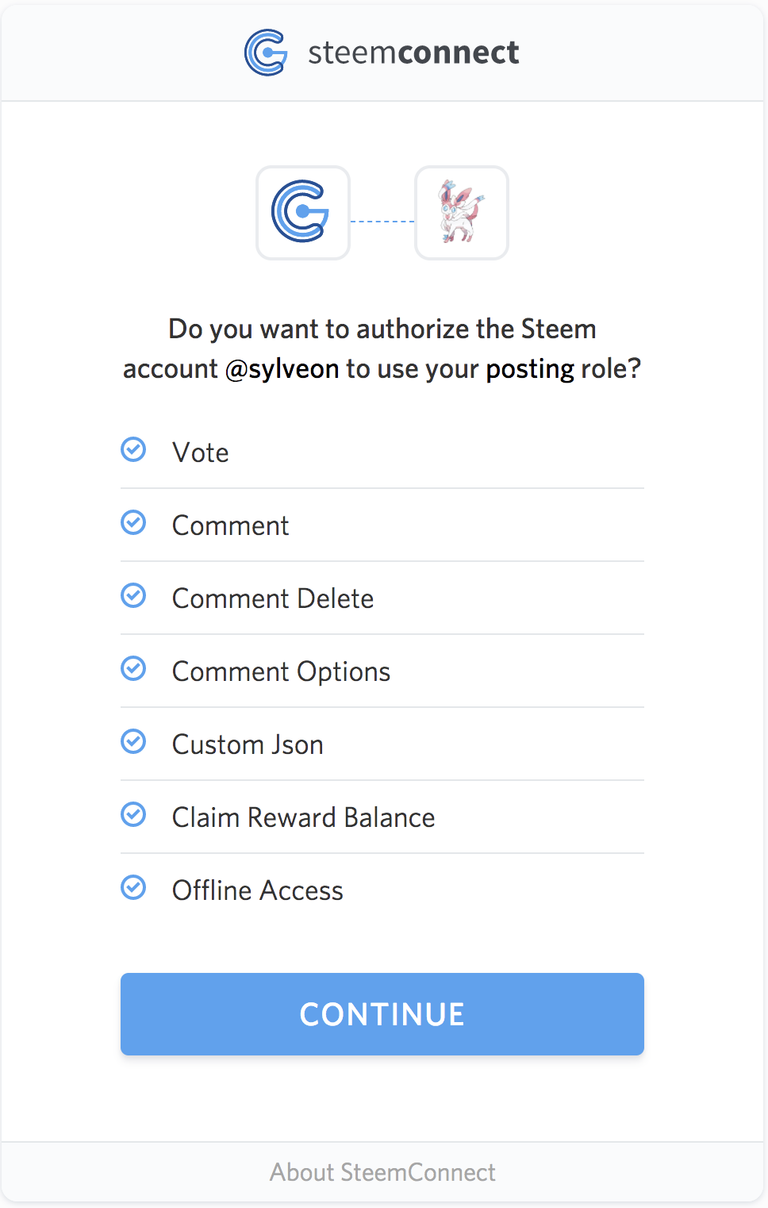
Once you content to access to those scopes, an account_auth is added for the application to the appropriate role.
For me, I consented to sylveon having access to my posting role:
   posting: {
        weight_threshold:   1,
        account_auths: [["sylveon", 1]],
        key_auths: [["STM5qFtsnMAkB5p9cEiXptde2DCgPDnP29zhtvWyqDdfBjKpTzyBX", 1]]
    }
The Dapp is the Proxy
The important reason for why you give access to the application is because the application impersonates you or rather, it acts as your proxy. What is happening is I am giving permission for sylveon to post as me.
Let's use a couple other examples.
- Busy
- Dtube
- DLive
The above are all dapps that are given access to post as you.
Accounts/Apps Created with Steemconnect
One of the features Steemconnect offers to developers is an app store and app registry. Developers can create applications of their own. Creating an application means likewise creating an account. This requires 3.0 STEEM to do.
Accounts are yours but not yours
Accounts created with steemconnect automatically are given steemconnect account_auth.
{
    account: "sylveon",
    owner: {
        weight_threshold:   1,
        account_auths: [["steemconnect", 1]],
        key_auths:[["STM867Vr1jWj8r1mfzJnJcjfpyyugrgK3vgX6ogHCMQaFvUtYfnEe", 1]],
    },
    active: {
        weight_threshold:   1,
        account_auths: [["steemconnect", 1]],
        key_auths: [["STM5ZSjdsBNQ8BHBSLcVJP7CdkybUauYh4aL3yAvri9Bntr2PeL3o", 1]]
    },
    posting: {
        weight_threshold:   1,
        account_auths: [["steemconnect", 1]],
        key_auths: [["STM5qFtsnMAkB5p9cEiXptde2DCgPDnP29zhtvWyqDdfBjKpTzyBX", 1]]
    },
    memo_key:   STM6Vpnv9FmP7PtDDBVznaab1e1xdASETGGAkGWSx8N2pDoX1GU7b,
    json_metadata:  {}
}
The private key are not saved/stored or given back to you. Instead, steemconnect gives itself complete authorization over your app, but not you. This is important to realize that you basically lose your account by purchasing through steemconnect.
All is not lost, steemconnect is OSS and you can basically fork the project and reimplement the features automatically adding yourself with steemconnect to the account. In another post, I will show how to do this as well as other steemconnect hacks.
A tutorial on browser apps and steemconnect please? Then maybe another on headless apps using the refresh token.
Thanks for this post, it is useful to clarify what steemconnect is for.
Have a nice day,
@cadawg
Congratulations @r351574nc3! You have completed some achievement on Steemit and have been rewarded with new badge(s) :
Click on any badge to view your own Board of Honor on SteemitBoard.
To support your work, I also upvoted your post!
For more information about SteemitBoard, click here
If you no longer want to receive notifications, reply to this comment with the word
STOPYou got a 11.28% upvote from @buildawhale courtesy of @r351574nc3!
If you believe this post is spam or abuse, please report it to our Discord #abuse channel.
If you want to support our Curation Digest or our Spam & Abuse prevention efforts, please vote @themarkymark as witness.
Did you ever write how to do this? Looking over older posts here. :)
Yeah, I'll have to look that one up.
I did these:
https://steemit.com/utopian-io/@r351574nc3/enhanced-security-with-steemconnect-refresh-tokens
https://steemit.com/utopian-io/@r351574nc3/tutorial-oauth2-access-tokens-and-refresh-tokens-with-steemconnect
I tried to write about things other people haven't already written how to do. I can do a tutorial if you need though. What were you looking for?