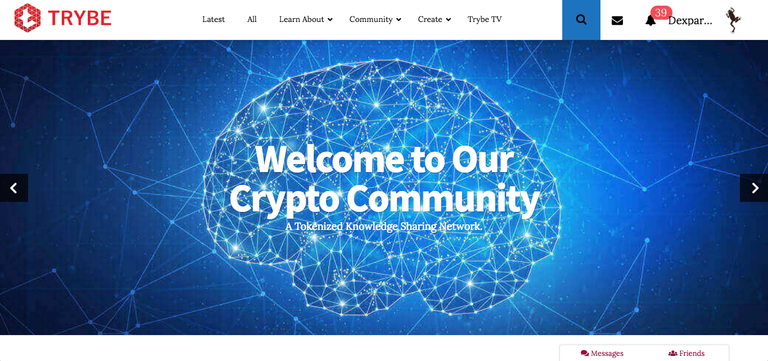
 Ciao Steemians!
Today I want to talk about the new social network called Trybe and explain how to take the first steps in the platform. Trybe is associated to EOS and will have a token of its own that will be folded in your EOS wallet on September 11th, with the tokens in your possess on the platform until the day of the Airdrop.
The platform is in the Demo phase and will be improved and monitored for the next 6/12 months, from what I could learn.
In addition to all this there is also the possibility to download a program to mine "Boid tokens" with your computer and will put its resources available for cancer research, it's still in Alpha mode.
Now let's move on to the first impressions, a social quite simple and intuitive already from the very first steps in the platform, where you will be required to register your e-mail and a password of your invention. For the moment is still slow in loading pages and photos and is also imperfect in other functions, but as already said is in the basic phase and then you have to give it some time, for all your doubts and perplexities you can contact the very cordial staff on the Telegram official channel which is practically always at your disposal and is very quick to respond.
Before starting with the tutorial I recommend one more thing, if you are going to post articles in two or more languages know that you can be contacted by the staff, as happened to me, who will invite you to do two different posts, one for every language of your choice, so as to enhance more your work to earn more.
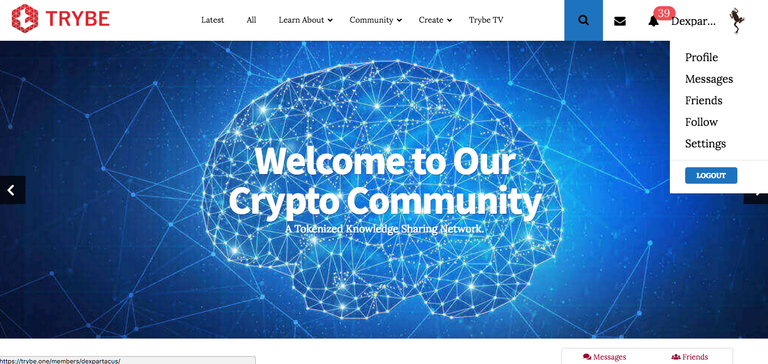
This is how your home screen will appear once you are connected, by clicking on the top right, on the photo of your profile you will see a drop-down menu with some key options to choose from top to bottom: profile settings , messages received or that you want to send to other users, your friends, who are following and different settings. Remember that you can not send messages to those who are not your friend, if you follow him, because the two things are different. Yesterday just added the options you see in the lower right corner of the messages between friends and who is your friend less, who will appear by clicking on the curtain style.
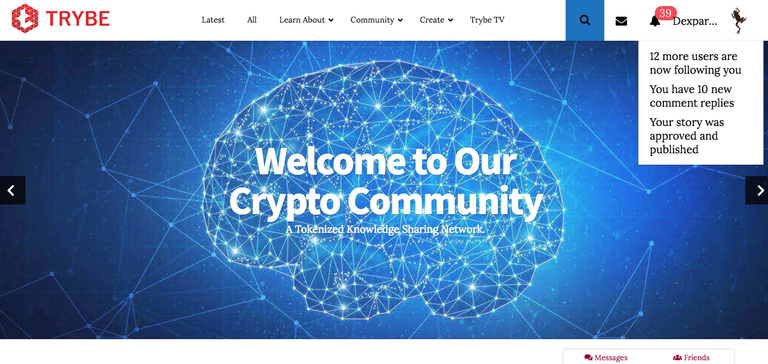
Clicking on the bell representing the notifications, in my case are 39, will tell you how in the example in this screenshot, how many new users are following you, how many new comments you have to your posts and you will be notified when your post will be approved , because on Trybe, the posts will be checked and voted by the staff before being published, which may take some time, maybe half a day, but as I have so far happened only once.
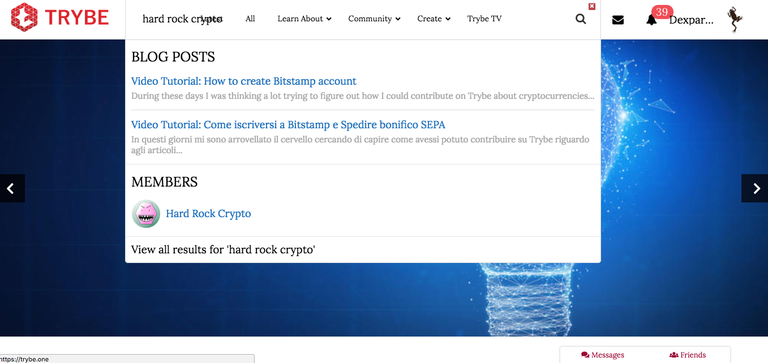
This is what will happen if you try to use the "search" icon, you will see the users and the articles that correspond to the words you are looking for, as you can see if you are looking for more words overlap with the writings already incorporated in the site.
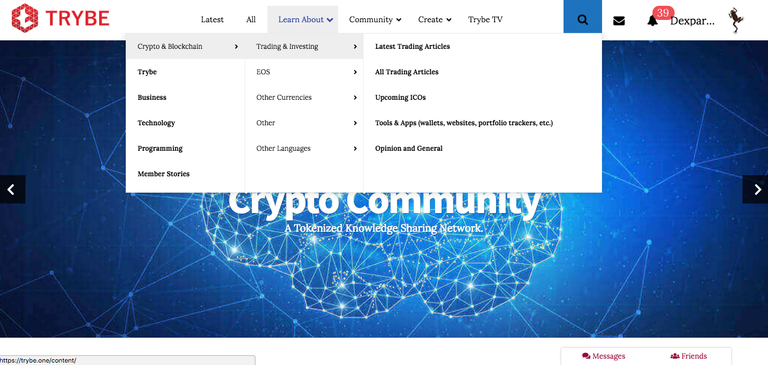
To the right of the site symbol you will find "latest", where you can view the latest approved articles and "all", where you can see them all. If you click on "learn about" you can find the articles corresponding to your needs, as you see the categories are multiple and on the most disparate subjects.
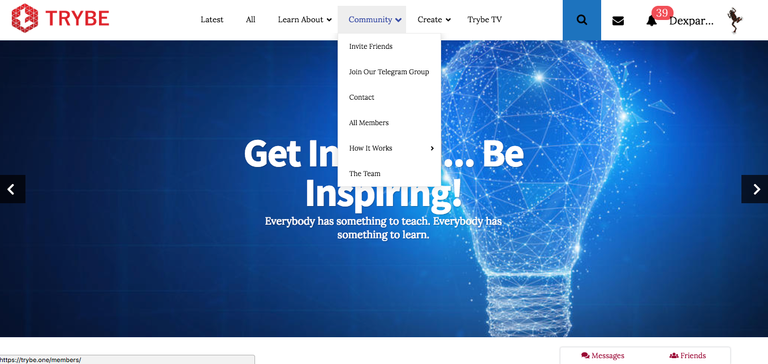
By clicking on "community" you can, starting from the top to bottom of the drop-down menu, invite your friends to reach you on trybe through a refferal link that will allow you to earn 50 additional tokens, access the Telegram channel of Trybe, contact the staff, see all members present on Trybe, the operation of the site in detail with different links and lastly the team that is part of the staff and their references.
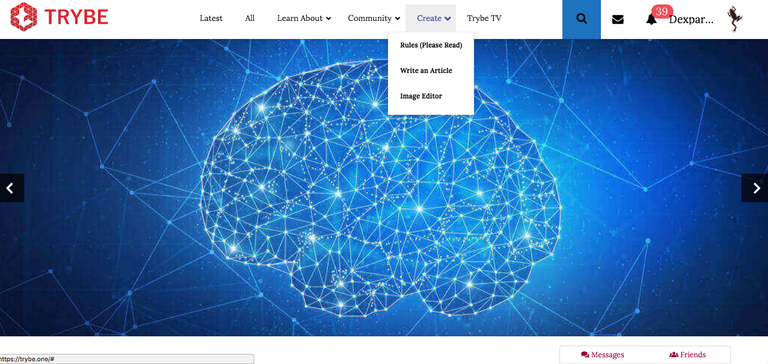
Here, however, that clicking on "create" you can start posting, after reading the "rules" and that is the regulation, crushing on "write an article" you can compose your post, below you find an images editor.
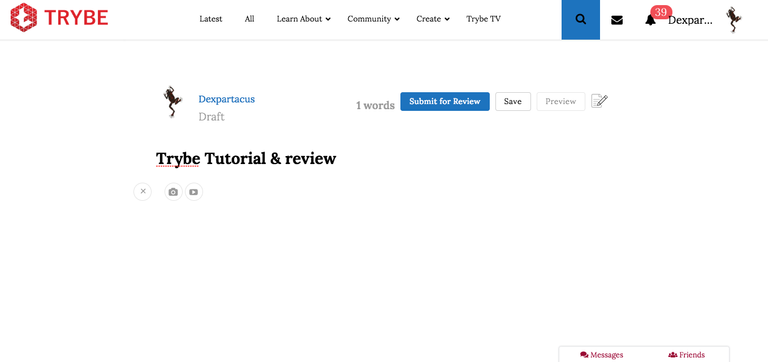
Now let's see how to make an article, where you see written "Trybe: tutorial & review", well that is the space for the title, then, clicking below on the writing space will appear a small "+" on the left side, so two will appear symbols, one represents a camera, clicking on you can upload your photos, the other one with video icon, in which you can copy and paste the link, after pasting it, press the "enter" button and the preview should appear. If once you have approved your post you will not see the photos you can always edit the post as and when you want without terms, about the video instead, for the time you encounter problems and if you do not see it contact the staff on Telegram, providing the link they will fix it real fast.
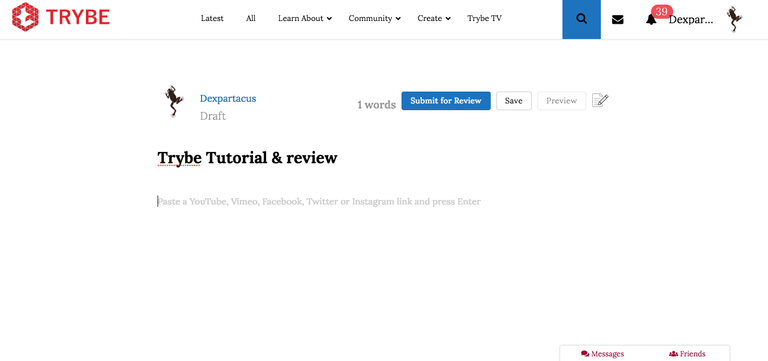
Here is where to paste your link, the options available for now are: Youtube, Vimeo, Facebook, Twitter and Instagram. Here you can see the keys on the top right of the article, the first "submit for review", which will serve once you have finished your post to review it, "save" will save it and you will find it in drafts. , "preview" to get a preview of your article that will be opened in another page, the last symbol with a small pen and lines on a small page I will explain in a moment what it is for.
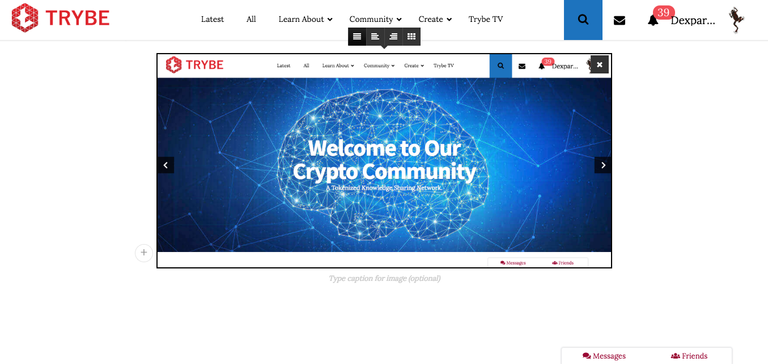
In this screenshot you can see a photo uploaded, which is one of those in this post, by clicking on the photo you can add a caption, here you can also see the "+" of which I spoke before that is on the bottom left of the photo uploaded.
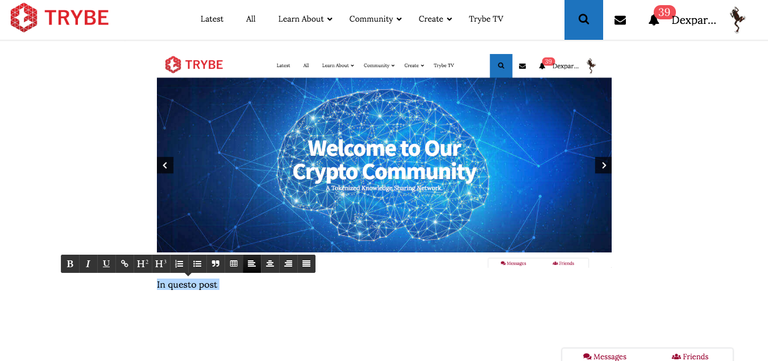
The text options are easy to choose, just select the part of text you choose, the one highlighted in light blue, and you can choose between different options: bold, italic, text alignment, etc...
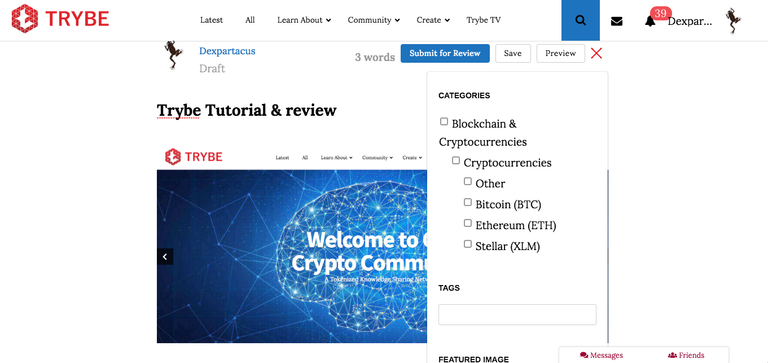
Here's what happens if you click on the symbol with a pen and the lines on a small page that I talked about a while ago, you can choose and then tick the categories of your post...
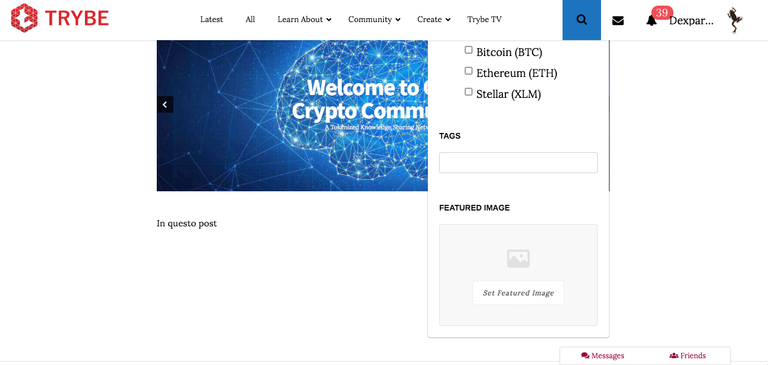
...scrolling down the window you can then enter how many tags you want (not like Steemit that allowing just 5) and the preview image, which the staff will advise you to put in case you forget it.
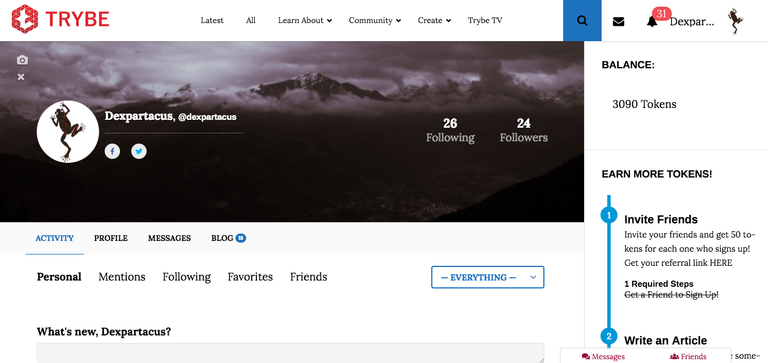
Here is how the page of your profile appears, clicking on the "blog" with the number of posts created by you in blue next to it (so far I am 18), you will also find drafts and posts still under review (in review) . At the top right you will find the word "balance" that tells you how many tokens you have earned, in this screenshot you can see my 3,090.
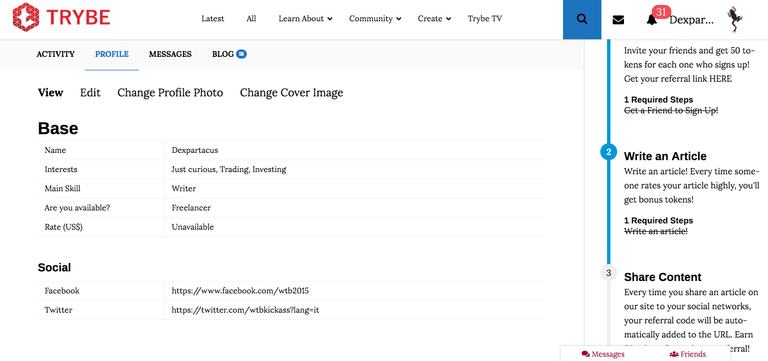
This is the image of your profile, in addition to the name and other information that you choose, you can give your availability as a freelancer or other, or choose your professional skills or if you sit only "curious", curious as in my case . Furthermore you can insert the links of your social pages.
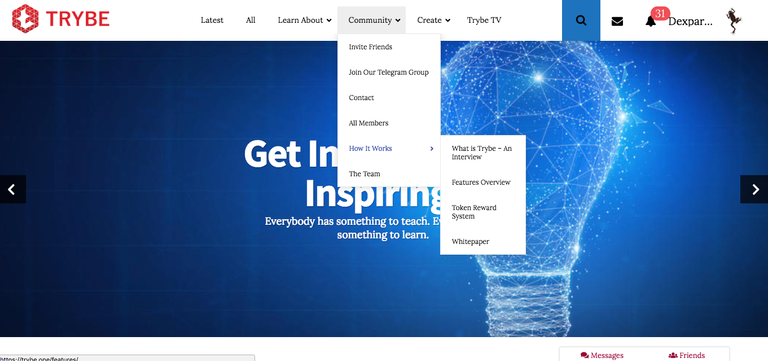
By opening the drop-down menu on "community" at the bottom, under the heading "how it works" you find the detailed Trybe's whitepaper.
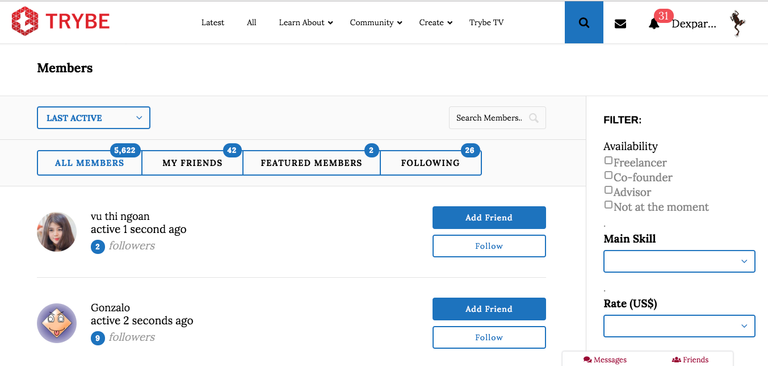
In this last screen "all members" (under the heading "community" - "all members") you see how many members have registered so far, until recently there were 5,622 users, the number of your friends (my friends), members who are connected last (features members) and finally how many members are you following (following).

Now you should be able to find out about the site, before leaving you, I want to point out that you can vote for a post
of every user every 24 and no more. Also, the more tokens you will earn the more tokens you can give to other users.
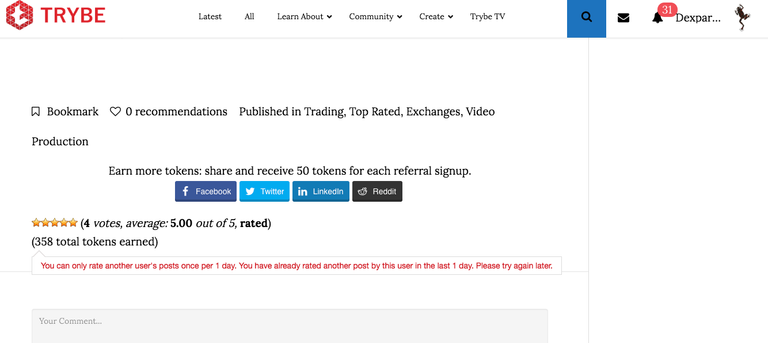
In the screenshot below you will see the votes that are in the form of "stars" that you can choose from 1 to 5, if you give 1 or 2 will be similar to a downvote, 3 is neutral, with 4 you will give some tokens and with 5 you will give the maximum at your disposal, these will not be climbed by those in your possession but "created" as on Steemit, but without "voting-power". You can also choose to share your articles directly on social media with the appropriate buttons.
You can also choose to receive e-mails to be notified on for example your new friends, followers and every time you receive new tokens.
Last but not least, you can safely re-propose the contents that you have already proposed here on Steemit, since the operation is completely different.
Here is my refferal link if you want to use it: http://trybe.one/ref/5620/


Congratulations @dexpartacus! You have completed the following achievement on the Steem blockchain and have been rewarded with new badge(s) :
Click on the badge to view your Board of Honor.
If you no longer want to receive notifications, reply to this comment with the word
STOPDo not miss the last post from @steemitboard:
Congratulations! Your post has been selected as a daily Steemit truffle! It is listed on rank 23 of all contributions awarded today. You can find the TOP DAILY TRUFFLE PICKS HERE.
I upvoted your contribution because to my mind your post is at least 8 SBD worth and should receive 149 votes. It's now up to the lovely Steemit community to make this come true.
I am
TrufflePig, an Artificial Intelligence Bot that helps minnows and content curators using Machine Learning. If you are curious how I select content, you can find an explanation here!Have a nice day and sincerely yours,

TrufflePigCongratulations! This post has been upvoted from the communal account, @minnowsupport, by marylin from the Minnow Support Project. It's a witness project run by aggroed, ausbitbank, teamsteem, someguy123, neoxian, followbtcnews, and netuoso. The goal is to help Steemit grow by supporting Minnows. Please find us at the Peace, Abundance, and Liberty Network (PALnet) Discord Channel. It's a completely public and open space to all members of the Steemit community who voluntarily choose to be there.
If you would like to delegate to the Minnow Support Project you can do so by clicking on the following links: 50SP, 100SP, 250SP, 500SP, 1000SP, 5000SP.
Be sure to leave at least 50SP undelegated on your account.
Hey my friend. Great post. Good to see you on Steemit as well as TRYBE.
Hello man! Yeah! That's great! I'm following you here too!😀😉🔝
Posted using Partiko Android