안녕하세요. 안피곤입니다.
저는 최근에 mobx-state-tree를 열심히 공부하고 있습니다. 제이콥님이 알려주신 Mobx는 너무 매력적입니다. 그래서 학습 중이던 Redux, Redux-Thunk, Redux-Saga를 그만두고, Mobx 동영상 강의를 찾아서 열심히 배우고 있습니다. 개발자에게 기술 공부는 끝이 없습니다. 기술 트렌드는 매년 바뀝니다. 그리고 유투브에는 새로운 무료 강의가 계속 업로드되고 있습니다.
저는 작년부터 Front-End, Node.js, React 세계에 발 담그면서 새로운 기술을 계속 공부하고 있습니다. 매일매일 새로운 기술이 쏟아져 나오고 있고, 새로운 기술들은 또 저에게 신선함을 안겨줍니다. 새로운 기술을 처음 배울때는 어렵지만, 이 기술에 익숙해지고 나면 그 다음 개발할 때는 매우 편합니다.
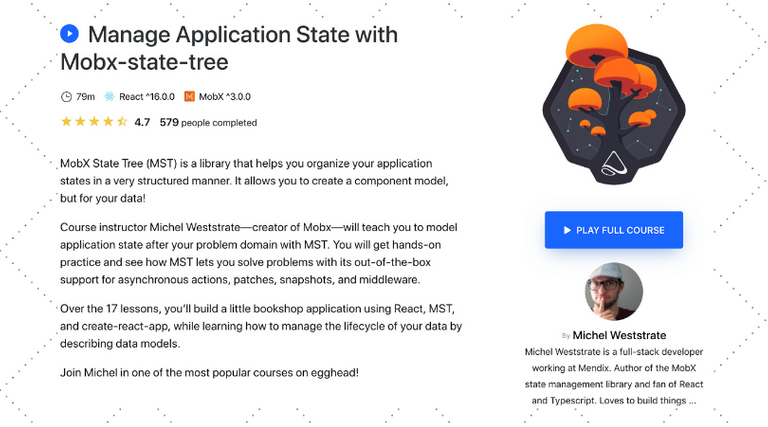
이 레슨은 위시리스트 앱을 만드는 과정을 안내합니다. 그리고 우리는 mobx-state-tree(MST)의 핵심 모델을 살펴볼 것입니다. 모델(Model)은 상태(state)의 형태(shape)을 정의하고 타입 유효성 검사를 수행합니다.
우리는 다음을 배우게 됩니다.
types.Model를 사용하여 모델을 정의하기Model.create를 사용하여 JSON에서 모델 인스턴스화하기- Primitive types :
types.string와types.number - Type inference for primitive types
types.arraytypes.optional- Composing models into a model tree
mobx-state-tree(MST) Models를 사용하여 어플리케이션 도메인 정의하기

wishlist 프로젝트 생성하기
우선 React App 프로젝트를 생성합니다.
$ npx create-react-app wishlist
(npx는 npm 5.2+ 이상 부터 사용가능합니다. 이전 버전을 사용중이라면 "instructions for older npm versions" 문서를 참고하세요.)
아래와 같이 필요한 모듈이 설치되면서 프로젝트가 생성됩니다.

Mobx 모듈 설치하기
다음 명령어를 입력하여 mobx와 mobx-state-tree 모듈을 설치합니다.
$ yarn add mobx mobx-react mobx-state-tree
아래 화면처럼 설치가 진행됩니다.

model 생성하기
./src 폴더 아래에 model 폴더를 생성합니다.

그리고 WhishList.js 파일을 생성합니다.

WhishList.js 파일에는 다음 내용을 입력합니다.
// src/models/WhishList.js

import { types } from "mobx-state-tree";

// WishListItem 모델 정의
export const WishListItem = types.model({
    name: types.string,
    price: types.number,
    image: types.optional(types.string, ""),
});

// WishList 모델 정의
export const WishList = types.model({
  items: types.optional(types.array(WishListItem), [])
});
WishListItem의 image 속성은 optional이며 기본값은 ""입니다. 그리고 image를 아래와 같이 입력할 수도 있습니다.
export const WishListItem = types.model({
    // ...
    image: ""
});
WhishList 모델 테스트 하기
WhishList.test.js 파일을 생성합니다.

WhishList.test.js 파일에는 다음 내용을 입력합니다.
import { WishListItem, WishList } from "./WhishList";

it("can create a instance of a model", () => {
  const item = WishListItem.create({
    name: "Reat Native - anpigon",
    price: 28.73
  });

  expect(item.price).toBe(28.73);
  expect(item.image).toBe("");
});

it("can create a wishlist", () => {
  const list = WishList.create({
    items: [
      {
        name: "Reat Native - anpigon",
        price: 28.73
      }
    ]
    });

    expect(list.items.length).toBe(1);
    expect(list.items[0].price).toBe(28.73);
});
테스트 하기 위해서 yarn test를 입력합니다.

테스트에 성공하면 다음과 같은 메세지가 콘솔에 출력됩니다.

댓글, 팔로우, 좋아요 해 주시는 모든 분께 감사합니다.
항상 행복한 하루 보내시길 바랍니다.

zzan.en1님의 Announcement of SteemZZANG Wallet's new useful feature
태그 작성 가이드라인 준수는 콘텐츠 관리와 글에 대한 접근성을 높이기 위해 반드시 필요한 절차입니다. ( It is an essential step to adhere tags guideline, manage content and make access better to your postings.)
스팀코인판에서 활용 가능한 태그는 크게 [보상태그 / 언어태그/ 주제태그]로 구분할 수 있습니다. 보상태그와 언어태그는 필수입니다.(Tags that can be largely grouped into [Main Community / Language / Topic] in community. The language and topic tags are required.)
(예) 한국어로 작성한 자유 주제 포스팅((E.g) Posting for free topic in English)
wonsama.zzan님의 [ZZAN] DAILY REPORT 2019-08-16
아아 제가 피곤님강의보면서 공부해야겠급니다.
정말 최고십니당 ㅠㅠ
감사합니다. MobX는 안배우려고 했습니다
그런데 제이콥님 덕분에 학습을 시작했는데, 매우 만족스럽습니다. 별점 ⭐⭐⭐⭐⭐ 드립니다. 👍
Posted using Partiko Android
mobx를 바로 가야하는거임!? redux보다 일단 mobx 먼저 배우까나? ㅋ
시간 아끼려면 MobX 부터 배우는 거 추천함! MobX를 사용하면 Redux-saga 같은 미들웨어를 사용할 필요가 없음. 때문에 MobX가 확장성은 떨어짐. 규모가 정말 큰 앱이 아니라면, MobX로 개발 해도 문제 없을 것 같음.
하지만 니트러스를 포함하여 대부분의 앱이 Redux로 개발 되어있으니, Redux랑 Redux-saga도 공부해야해. ㅋㅋ
참고로 Redux와 Redux-saga는 러닝 커버가 상당히 높은 편.
Posted using Partiko Android
옥희!!!! mobx부터 하자~
근데 니트러스부터 봐야하니까!!
Redux, Saga를 먼저보자..
줴길.. ㅋㅋ
Thank you for your continued support towards JJM. For each 1000 JJM you are holding, you can get an additional 1% of upvote. 10,000JJM would give you a 11% daily voting from the 700K SP virus707 account.
kr-newbie님의 [8/17 kr-newbie 큐레이팅 프로젝트]
Hi @anpigon!
Your post was upvoted by @steem-ua, new Steem dApp, using UserAuthority for algorithmic post curation!
Your UA account score is currently 3.420 which ranks you at #7424 across all Steem accounts.
Your rank has not changed in the last three days.
In our last Algorithmic Curation Round, consisting of 118 contributions, your post is ranked at #56.
Evaluation of your UA score:
Feel free to join our @steem-ua Discord server