In this Photoshop Tutorial, Learn how to create a Queen on her Balcony with dramatic sunset light effects. In this Photo Manipulation tutorial, you'll learn how to create an easy dramatic sunset view with yellow light effects.
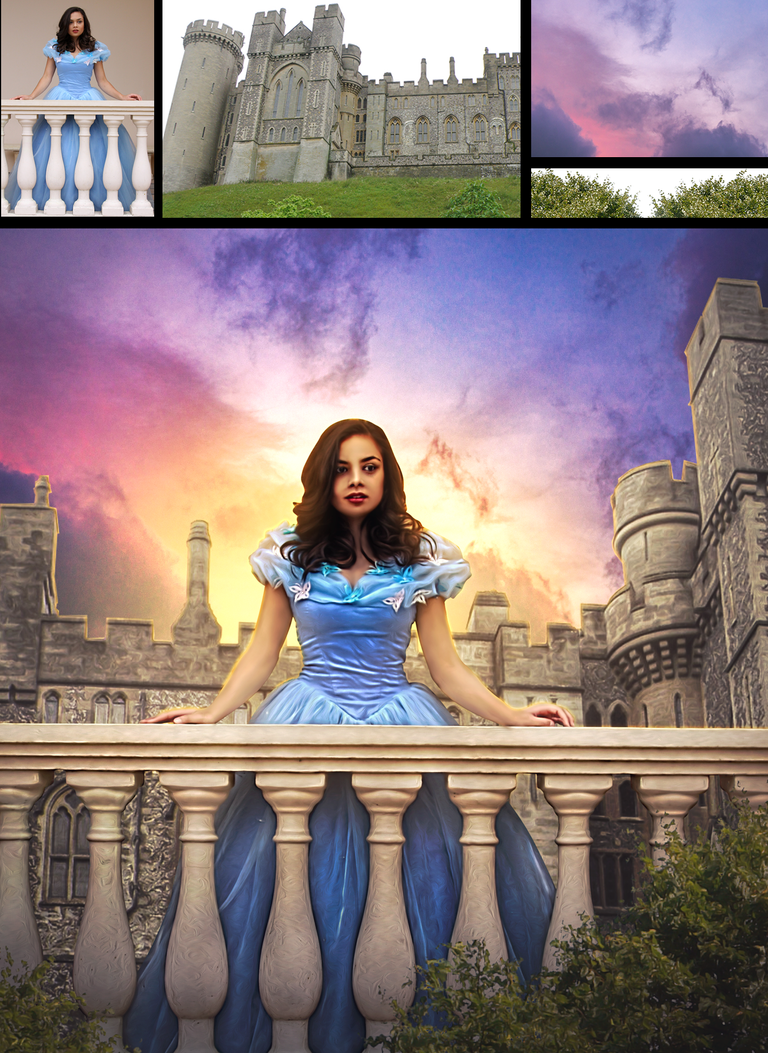
It's one of those quick and simple Photo manipulation tutorials you'll learn how to use the Adjustment Layer tool, Hue Saturation Tool, and photoshop camera raw to put dramatic Photo Manipulation.
I am using Photoshop CC, but I'm sure it will work with earlier versions or other programs.
Please don't Forget ▶"subscribe" and 👍"like" ↗"share" ❤"comment". Because your support is very important for attracting and retaining tutorials.
SUBSCRIBE for More Videos ➜ https://goo.gl/vmj6sg
If you got any questions about this tutorial feel free to ASK ME in the Comments.
Happy Watching. . . ≧◉◡◉≦
===================================
More Tutorial
https://goo.gl/vmj6sg
===================================
RESOURCES USED.....
Photo Credit:
https://ykdesign-in.blogspot.com/2022/05/queen-in-balcony-sunset-effect-photo.html
===================================
MORE FROM yk design :
Subscribe on YouTube ➜ https://goo.gl/vmj6sg
Facebook ➜ https://www.facebook.com/ykdesigns.in/
Google+ ➜ https://goo.gl/je0Xj0
Twitter ➜ https://twitter.com/ykdesign_in
Pinterest ➜ https://in.pinterest.com/ykdesign_in/
===================================
✿✿✿✿ THANK YOU ✿✿✿✿
yk design
▶️ 3Speak
So beautiful image! It reminds me a tale ❤️
This post has been manually curated by @bhattg from Indiaunited community. Join us on our Discord Server.
Do you know that you can earn a passive income by delegating to @indiaunited. We share 100 % of the curation rewards with the delegators.
Here are some handy links for delegations: 100HP, 250HP, 500HP, 1000HP.
Read our latest announcement post to get more information.
Please contribute to the community by upvoting this comment and posts made by @indiaunited.
Congratulations @ykdesign! You have completed the following achievement on the Hive blockchain and have been rewarded with new badge(s):
Your next target is to reach 400 posts.
You can view your badges on your board and compare yourself to others in the Ranking
If you no longer want to receive notifications, reply to this comment with the word
STOPTo support your work, I also upvoted your post!
Check out the last post from @hivebuzz: